

Cleanroom Hard Drive Recovery · 140,000+ Recoveries
Hard Drive Recovery Singapore
Clicking, dead, or not detected? We recover data from failed hard drives in our in-house Singapore cleanroom — including head replacement, PCB and firmware rework. Free diagnosis.
4.9 / 5 from 915 Google reviews · 20+ years · cleanroom lab (opens Google in a new tab)- Cleanroom head-stack work
- Fixed written quote
- Free diagnosis
- Beside Tai Seng MRT
Quick answer
Yes — most failed hard drives are recoverable, including clicking, dropped, and undetected drives. At CBL, we recover HDDs in an in-house Singapore cleanroom using head replacement, PCB and firmware rework. Diagnosis is free, and you approve the fixed quote before any work begins. The critical first step: if your drive is clicking or was dropped, power it off now to avoid permanent damage.
Overview
Hard drive failed? Don't let a recoverable drive become a lost one.
Hard disk drives (HDDs) remain the most common — and most recoverable — storage device we see. But they're also mechanical: spinning platters, read/write heads floating nanometres above the surface, and delicate firmware. When one fails, the difference between a full recovery and permanent loss often comes down to what happens in the first hour.
Whether it's a laptop drive that took a knock, a desktop HDD that won't show up in Windows, or an external drive that's suddenly clicking, CBL's engineers have recovered from it before — over 140,000 successful recoveries in more than 20 years. We handle the full spectrum of failures, from simple logical corruption to catastrophic head crashes that require cleanroom surgery and donor parts.
Stop before you make it worse
If your drive is clicking, buzzing, grinding, or was dropped — power it off immediately and don't reconnect it. Every extra minute of power can scratch the platters and turn a recoverable drive into an unrecoverable one. Then book a free diagnosis.
This guide walks you through the warning signs, what's actually recoverable, our cleanroom process, honest pricing, and the DIY mistakes that destroy data — so you can make the right call for your files.
Diagnosis
Signs your hard drive is failing

Some symptoms mean "back up now"; others mean "power off and call a lab immediately." Here's how to read them.
Rule of thumb
Any noise or physical symptom = power off and get professional help. Any software symptom on a healthy-sounding drive = stop using it and back up before it worsens.
Clicking or beeping
Usually failed heads or a stuck actuator. Power off now. Why drives click →
Not detected / not showing up
PCB, firmware or head fault. Drive not detected →
Dropped or physically knocked
Possible head crash — don't power on to "test" it.
Slow, freezing, or hanging
Often bad sectors — back up immediately, then diagnose.
Corrupt or missing files
Logical corruption or early failure. Stop writing to it.
S.M.A.R.T. errors / warnings
The drive is warning you. Back up and replace it now.
Interactive
Is your drive recoverable? Quick symptom check
Select what's happening with your drive for an instant read on the likely cause and next step.
What is your hard drive doing?
Clicking or beeping — likely failed heads
This is almost always a physical head or actuator fault. Power off now — continued spinning risks the platters. We recover this routinely with a cleanroom head-stack replacement.
Get a free diagnosisNot detected — PCB, firmware or heads
The drive may be electronically or firmware-faulty. Do not run CHKDSK or format. We repair the board/firmware in-house and image the drive safely.
Get a free diagnosisDropped — possible head crash
A drop can crash the heads onto the platters. Do NOT power it on to test it. We assess platter condition in the cleanroom and recover undamaged zones.
Get a free diagnosisSlow / corrupt — bad sectors or logical fault
Often failing sectors or file-system corruption. Stop using the drive and back up. We image gently around bad sectors, then reconstruct the file system.
Get a free diagnosisDeleted / formatted — logical recovery
Your data usually remains until overwritten. Stop writing to the drive immediately. We reconstruct the file system and extract your files.
Get a free diagnosisIndicative guidance only — every drive is assessed individually at diagnosis.
Understand the failure
Physical vs logical failure — and why it matters
Every hard drive failure is either physical (something mechanical or electronic broke) or logical (the hardware is fine but the data structure is damaged). Which one you have decides the recovery approach, the cost, and whether DIY is even safe.
| Item | Physical failure | Logical failure |
|---|---|---|
| Causes | Head crash, seized motor, PCB burnout, firmware corruption | Deletion, format, file-system corruption, bad sectors, RAW volume |
| Symptoms | Clicking, beeping, not spinning, not detected | Detected but inaccessible, missing files, "needs formatting" |
| Needs a cleanroom? | Yes — opening outside one destroys the drive | No — but imaging-first still applies |
| Safe to DIY? | Never | Sometimes, if a backup exists |
Not sure which you're facing? That's exactly what our free diagnosis determines. Read the full explainer: physical vs logical drive failure →
Repair vs recovery
Hard drive repair or data recovery — which do you need?
People search for "hard disk repair", "HDD repair" and "hard drive repair near me" when a drive dies. It's worth understanding what repair means inside a data recovery lab — because it isn't the same as fixing an appliance.
What we genuinely repair
- Read/write heads — replaced in the cleanroom with matched donor parts
- PCB / electronics — repaired or swapped, with the original ROM transferred
- Firmware — corrupt service areas rebuilt so the drive responds again
- Seized motors and stuck heads on dropped drives
- Corrosion on water-damaged boards
What repair does not mean
- We repair the drive to get your data off it — not to hand back a drive you keep using
- A drive that has physically failed should never be trusted again, repaired or not
- Your data is returned on fresh, healthy media
- We don't attempt "swap the board and hope" fixes that risk the platters
The honest version
If someone offers to "repair" a clicking drive and give it back for continued use, be cautious. In a laboratory, repair is a means to recovery: we stabilise the drive just long enough to image it safely, then return your files on new media.
Looking for hard drive repair near me in Singapore? Our lab is at 6 Harper Road, Leong Huat Building #05-02 — beside Tai Seng MRT — with in-house cleanroom work, so your drive isn't sent overseas. Bring it in for a free diagnosis →
Same problem, different words
HDD data recovery, hard disk repair, hard drive Singapore — what people actually mean
People describe this problem in a dozen different ways, and the words matter less than you might think. If any of the phrases below sound like your situation, you are in the right place.
"HDD data recovery", "hard disk data recovery"
HDD simply stands for hard disk drive — the mechanical kind, with spinning platters and moving heads inside. HDD data recovery, hard disk data recovery and hard drive data recovery are all the same service. The abbreviation is common in IT circles; the plain words are more common everywhere else. Nothing about the job changes with the phrase you use.
"Hard disk repair", "hard disk drive repair", "portable hard disk repair"
These usually mean one of two very different things, and it is worth being clear which you want:
- Repairing the drive to keep using it. Honestly — don't. A drive that has failed once has demonstrated it will fail again. Even after a successful repair, it should not be trusted with anything you care about.
- Repairing the drive far enough to get the data off it. This is what we actually do. Heads, PCB, firmware and motor work are all means to an end: making the drive readable long enough to image it. The data then goes onto healthy media you keep.
So when we say we repair drives, we mean the second one. We are not in the business of returning you a refurbished drive to carry on using — see physical vs logical failure for what each type of damage needs.
"Retrieve data from hard disk", "recover files from hard drive"
Same thing again. Whether the drive is internal, external, portable or sitting in a laptop, the process is the same: diagnose the fault, stabilise the drive, image it sector by sector, then rebuild the file system from the image — never from the failing drive itself.
One thing that genuinely does matter
Not the words you use, but whether the drive is still being powered on. Every extra minute a physically failing drive spends spinning can turn a recoverable problem into an unrecoverable one. If it is clicking, beeping, or was dropped — unplug it and leave it alone.
How it works
Our hard drive recovery process
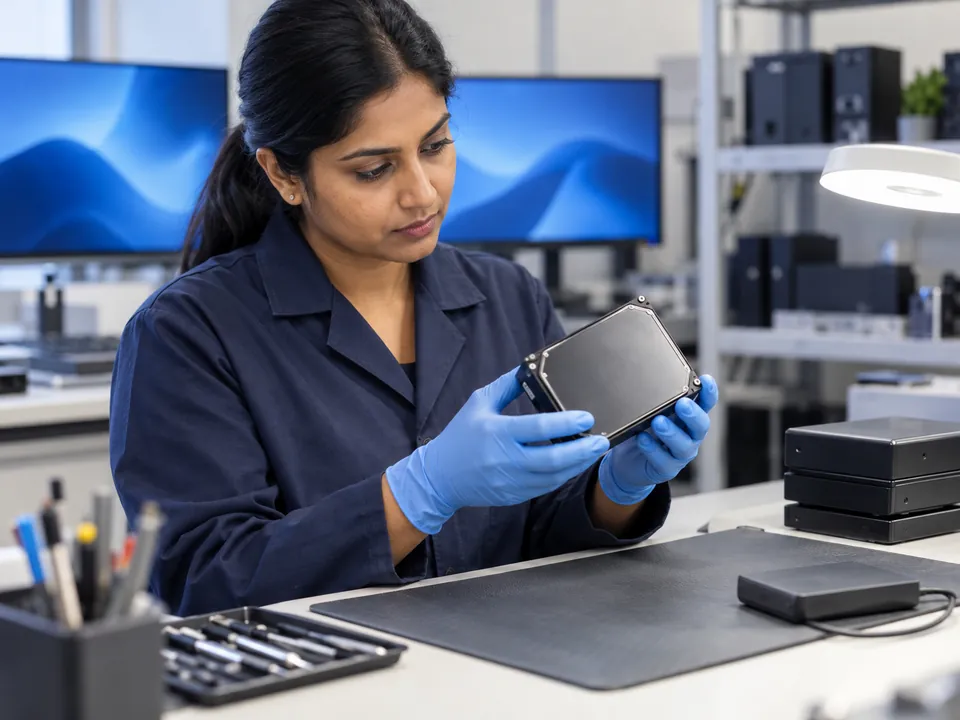
A disciplined, data-safe path — the original drive is imaged before any recovery is attempted, so it's never put at further risk.
Step 1: Free diagnosis
We open the case (physically, in the cleanroom if needed), identify the exact failure, and tell you whether — and how — it's recoverable. No cost, no obligation.
Step 2: Cleanroom work (if physical)
For head crashes we transplant a matched head-stack assembly from a donor drive; for electronic faults we rework the PCB or rewrite firmware — all inside our in-house cleanroom.
Step 3: Sector-by-sector imaging
We clone the stabilised drive onto healthy media using specialised imagers that handle unstable, bad-sector drives gently — protecting your original.
Step 4: File-system reconstruction
We rebuild the partition and file system from the image and extract your data, then give you a file list to verify.
Step 5: Verify & return
Verified data is returned on fresh media. once you approve the quote.
See the full lab walkthrough: how professional data recovery works →
Honest expectations
What we can recover — by failure type
| Failure type | What we do | Typical outcome |
|---|---|---|
| Deleted / formatted / corrupt (logical) | Image + file-system reconstruction | High |
| Clicking / failed heads (untouched) | Cleanroom head-stack replacement | High |
| PCB / electronics failure | Board rework, ROM transfer | High |
| Firmware corruption | Firmware/translator rebuild | Good |
| Dropped with platter damage | Cleanroom recovery of undamaged zones | Case-by-case |
| Previously opened / DIY-damaged | Assessed individually | Reduced |
Brand-specific quirks matter too — we handle Western Digital, Seagate, Toshiba, HGST and more, including hardware-encrypted and SMR drives.
Transparent pricing
How much does hard drive recovery cost?
Cost depends on the failure type — not a flat rate. Here are honest indicative ranges for hard drives so you're not walking in blind.
| Case type | Examples | Indicative range (SGD) |
|---|---|---|
| Logical | Deleted, formatted, corruption, bad sectors | $180 – $650 |
| Firmware / PCB | Not detected, electronic fault | $300 – $900 |
| Physical (head/motor) | Clicking, dropped, cleanroom head swap | $400 – $1,800 |

What moves the price within a range
Two clicking drives can land at opposite ends of the same band, and it is worth knowing why before you compare quotes.
- How far the damage has spread. A drive with one failed head reads faster and cleaner than one whose heads have already scored the platters. Powering a failing drive on repeatedly is what usually moves a case up a band.
- Whether donor parts are available. Head and PCB work needs a matching donor of the same model and firmware revision. Common Seagate and WD families are straightforward; obscure or very recent models take longer to source.
- Capacity and recording type. A 6TB drive simply takes longer to image than a 500GB one, and SMR drives — where tracks overlap like roof tiles — are slower and less forgiving to read.
- How much you need back. If only one folder matters, we can often target it and finish sooner. A full-volume rebuild is more work.
Physically failed drives that need donor parts carry a small non-refundable parts deposit of $80–$250 depending on the model, and we show you that figure up front rather than adding it later.
Your free diagnosis is your free quote
We confirm the exact fixed price before any work begins. Full details on our data recovery cost guide →
Avoid permanent loss
DIY mistakes that destroy hard drives
The internet is full of "hard drive fixes" that permanently kill recoverable data. Please don't.
The freezer trick
A myth. Condensation and thermal shock damage platters and heads.
Opening the drive
A single dust particle in normal air ruins the platters. Cleanroom only.
Running CHKDSK / format
On a failing drive this overwrites recoverable data and stresses bad sectors.
Repeated power cycling
Powering a clicking drive on and off drags failed heads across the platters.
DIY software is fine for a healthy drive with a minor deletion and a backup elsewhere — nothing more. See DIY vs professional recovery →
Recovery in the real world
Hard drive recovery case studies
Representative examples drawn from typical laboratory cases. Devices and details anonymised.
Bishan · Home user
Clicking Seagate — 12 years of family photos
A 2TB Seagate started clicking mid-backup. Failed read/write heads. In the cleanroom we fitted a matched donor head-stack, imaged the platters, and rebuilt the file system.
99% recovered
Ubi · Design studio
WD drive not detected — active projects
A WD desktop drive stopped being detected after a power surge. The fault was a burnt PCB; we reworked the board and transferred the unique ROM to restore access.
100% recovered
Tai Seng · SME
Dropped external drive, DIY already attempted
An external HDD was dropped, then run through recovery software twice. We assessed the head damage, recovered the intact zones in the cleanroom, and salvaged the critical accounts.
Critical data recovered
Recovery in the real world
Real hard drive recoveries

From verified 5★ reviews on our Google Business Profile. Names as published on Google.
From verified Google reviews
These are real reviews from our customers on Google (4.9★ from 915), shown as testimonials.
Two HDDs · WD + Toshiba
Rare donor parts tracked down for two damaged drives
Two seriously damaged hard disks — one WD, one Toshiba — needed parts that were difficult to source. The team worked patiently through sourcing them and recovering the data, and showed the files for checking before any payment was made.
~95% recovered
T M K Guwe via Google
Old hard drive · family photos
20 years of family photos, back again
Data retrieval from an old hard drive came back almost 100%. The part that mattered most was a 20-year family photo collection, recovered intact.
Almost 100% recovered
Arlene Conmigo Ponce via Google
Toshiba hard disk
Faulty Toshiba, paid only after the recovery
A faulty Toshiba hard disk. Most of the data was recovered, and payment was only taken after the recovery was complete.
Most data recovered
C P TEO via Google
The honest comparison
CBL vs a reseller vs DIY software
Zero-risk guarantees
Free diagnosis & a fixed written quote
Free Diagnosis
We assess your drive and identify the failure — no cost, no obligation.
Work Stays In-House
Recovered in our in-house Singapore lab — never shipped overseas.
Fixed Quote First
A firm written price before any work begins. No hidden fees.
Answers
Hard drive recovery FAQ
Yes. HDD stands for hard disk drive, so the two phrases describe the same service. You will also see hard disk recovery, hard drive repair and retrieve data from hard disk used interchangeably. What actually changes the approach is whether the failure is physical or logical, not the wording.
We can often repair a drive far enough to read it, but we would not advise relying on it afterwards. A drive that has failed once will very likely fail again. Our aim is to get your data onto healthy media you keep — treat the original as evidence of a problem, not as storage.
Yes — portable hard disk repair and external drive recovery are among the most common jobs we see. Portable drives get dropped, and USB-powered enclosures fail in their own ways. Sometimes the drive inside is fine and only the interface board has died, which is a much simpler recovery.
In most cases, yes — even drives that won't spin, aren't detected, or are clicking. The outcome depends on the failure type and whether the drive has been further damaged. A free diagnosis confirms your case.
Clicking usually means failed read/write heads or a stuck actuator. Power the drive off immediately — continued spinning can scratch the platters. This needs cleanroom recovery, not software. See why drives click.
No. It's a myth that causes condensation and thermal damage to the platters and heads, often making recovery harder or impossible. Please don't try it.
Yes. "Not detected" is often a PCB, firmware or head fault — all of which we handle in-house. Avoid running CHKDSK or formatting. See drive not detected.
Yes — we perform cleanroom head-stack replacements using matched donor drives, one of the most common physical recoveries we do.
Indicatively $180–$650 for logical cases and $400–$1,800 for physical (cleanroom) recoveries. Your free diagnosis provides an exact fixed quote. See the cost table above.
All major brands — Western Digital, Seagate, Toshiba, HGST, Samsung and more, including SMR and hardware-encrypted drives.
Diagnosis is typically same-day to 24 hours. Standard hard drive recoveries often complete within 3–7 business days; emergency service is available for urgent cases.
Often yes, if you act fast. Don't power it on or try to dry it with heat or rice. See water-damaged drive recovery.
What our clients say
Trusted by individuals and businesses in Singapore


Business Profile
Hard Disk Data Recovery – Rated by customers on Google
915Google reviews
4.9 out of 5
Updated 4 Nov 2026
“Thank you to the team at CBL for helping me recover all the contents from my faulty USB, which contained many precious family photos.”
Iris ShenUSB flash drive recovery · via Google “Great relief the engineers managed to recover all my data successfully from my damaged iPhone 14.”
Peter AndroidiPhone 14 recovery · via Google “Amazing service from CBL. They have restored all the data from my laptop. Sarah was very helpful and attentive to my queries.”
S YTLaptop recovery · via Google

The bottom line
A failed hard drive is rarely the end of your data — but the wrong first move can be. With 20+ years, 140,000+ recoveries, an in-house Singapore cleanroom, transparent pricing, CBL gives your drive its best chance. Power it off, and let's take a look — free.
Service scope
What we do — and what we don’t
CBL Data Recovery (S) Pte Ltd (UEN 201101007Z) is the service provider — not a reseller, referral service or agent. We are a data recovery laboratory. You bring or ship your storage device to our own lab at 6 Harper Road, Leong Huat Building #05-02, beside Tai Seng MRT. Our own engineers image the media in our in-house cleanroom and return your recovered files.
Services we do not offer
We do not provide remote access or remote sessions, telephone troubleshooting, virus or malware removal, password resets, account recovery, software installation, or device repair, and we sell no software or subscriptions. Any physical work on your media is carried out solely to bring it to a readable state so it can be imaged — you receive your recovered files, not a repaired device.
We do not bypass encryption or account security. Where a device is encrypted, recovery requires the owner’s own password or key. Diagnosis is free, and all work is quoted in writing before it begins.