

Backup Plus · Expansion · Barracuda · IronWolf
Seagate Hard Drive Recovery Singapore
Seagate drive beeping, clicking, or not detected? Seagate's F3 firmware and stuck-head issues need specialist handling — which we do in-house in our cleanroom lab. Free diagnosis.
4.9 / 5915 reviews · 20+ years · cleanroom lab (opens Google in a new tab)- F3 firmware & translator
- Beeping / stuck heads
- Free diagnosis
- Fixed written quote
Quick answer
Yes — failed Seagate drives are usually recoverable, including beeping and clicking drives and the firmware faults Seagate is known for. Seagate's F3 firmware architecture and translator corruption need specialist handling, and a beeping drive means stuck heads — a physical fault. Power a beeping or clicking Seagate off immediately and don't keep power-cycling it, then book a free diagnosis.
Overview
Seagate fails in Seagate-specific ways.
Seagate is one of the most common brands we recover — and one with well-known failure patterns. Seagate drives use the F3 firmware architecture, where firmware or "translator" corruption can make a physically healthy drive completely inaccessible. Seagate portables are also prone to a distinctive beeping — the sound of read/write heads stuck to the platters, unable to spin up.
CBL handles Seagate's firmware, translator and stuck-head issues in-house, with the tools and donor stock to recover the full Seagate range.
If your Seagate is beeping or clicking
Power it off immediately and don't keep switching it on and off. Beeping and clicking are physical faults; repeated power-ups can scratch the platters. Then book a free diagnosis.
Important
Beeping Seagate? That's stuck heads.

If your Seagate portable makes a repeated beeping sound and doesn't spin up, the read/write heads are stuck to the platter surface and the motor can't turn. This is a physical fault that needs cleanroom recovery — not software. Every attempt to power it on risks damaging the platters further. We free or replace the stuck heads in the cleanroom and recover the data.
Diagnosis
Common Seagate failures
Beeping (stuck heads)
Heads stuck to platters — cleanroom recovery.
Clicking
Failed heads — power off now. Why drives click.
F3 firmware / translator
Firmware corruption makes a healthy drive inaccessible.
Not detected
PCB, firmware or head fault.
Symptom guide
What each Seagate symptom is telling you
Seagate drives announce their faults fairly clearly, once you know what the noises mean. Find yours below before you touch anything else.
- A steady beep, roughly once a second, no spin-up. The heads are stuck to the platters and the motor is stalling against them. Physical. Stop powering it.
- Clicking or ticking, a pause, then the same again. The heads cannot find the servo tracks, so the drive keeps recalibrating. A head has failed, or the preamplifier has.
- Spins up normally but never appears in Disk Management. Usually firmware — a corrupt translator or a damaged service-area module. The platters are often untouched, which is why these cases tend to recover well.
- Detected, but capacity reads 0 GB or the model shows as a garbled string such as "ST_M13FQBL". A classic Seagate service-area fault: the drive is talking, but it can no longer map logical sectors to physical ones.
- Mounts, then asks to be formatted, or shows as RAW. File-system damage, not hardware damage. Do not format it. Often the most recoverable category of all, provided nothing writes to the drive.
- Copies for a few minutes, then crawls and freezes. Growing bad sectors, or an SMR drive stalling on its internal rewrites. Every retry adds wear.
- A faint buzz or a rhythmic whine instead of a clean spin-up. Motor or bearing seizure, usually after a knock while running.
If either of the first two describes your drive, it needs a cleanroom, not software. If you cannot tell which category you are in, that is what the free diagnosis is for.
Seagate Singapore
Seagate recovery services in Singapore — your options
If you searched "Seagate Singapore" or "Seagate recovery services" after a drive failed, you have more than one route. Here they are honestly, including the one that isn't us.
Claim the warranty after recovery, never before
Seagate's warranty replaces the hardware. Send a failed drive in and you get a different drive back — the original, and the data on it, is gone. Recover the data first. The warranty claim still stands afterwards.

Seagate's own Rescue service
Seagate offers Rescue Data Recovery Services, bundled with some of its drives (several IronWolf, SkyHawk and external models include a subscription). If your drive came with it, it is a legitimate option and you have already paid for it — check your drive's documentation before paying anyone.
The practical trade-off is logistics: the drive is shipped out of Singapore and turnaround is typically measured in weeks. If the data is time-critical, or you would rather the drive stayed in the country, a local lab is faster.
What we are
CBL is an independent data recovery laboratory. We are not Seagate's authorised service centre and we are not affiliated with Seagate. We recover data from failed Seagate drives — Barracuda, IronWolf, SkyHawk, Exos, FireCuda, and the Backup Plus and Expansion external ranges — in our own in-house cleanroom in Singapore. Free diagnosis.
Same problem, different words
Seagate data recovery Singapore, Seagate hard drive recovery, Seagate external drive recovery — what people actually mean
People describe this problem in half a dozen ways, and most of the differences do not change the job at all. One of them genuinely does. Here is which is which.
"Seagate data recovery Singapore" and "Seagate hard drive recovery"
The same service. The brand tells us which firmware architecture and which donor parts we need; it does not change the method. Every case follows the same path — diagnose, stabilise, image sector by sector, then rebuild the file system from the image rather than from the failing drive.
"Seagate external drive recovery" — the box is not the drive
A Backup Plus, Expansion or One Touch is an ordinary Seagate mechanism plus a USB bridge board, and that distinction matters. On 2.5in portables the USB connector is usually soldered directly onto the drive's own circuit board, so there is no SATA port to fall back on when the connector or bridge chip fails. On some models the bridge also encrypts everything written through it, so pulling the bare drive out and plugging it into a PC returns unreadable data even though the mechanism is healthy.
"Seagate repair" versus "Seagate recovery"
This is the confusion worth settling. If you want the drive repaired so you can keep using it — honestly, don't. A drive that has failed once has told you what it will do again. What we do is repair it far enough to read it: head, PCB, firmware and motor work are all a means to one end, a clean image. Your files come back on healthy media you keep, and the original Seagate is never trusted with them again.
The one detail that genuinely helps us
Not the words you use — the label. Every Seagate carries an ST or ZP model number, a firmware revision and a site code. Those three decide whether a donor will work. Photograph the label before you bring the drive in and we can check stock before you arrive.
If you were searching for a Seagate service centre or a warranty claim rather than recovery, those are different things again — see your options above, and claim the warranty only after the data is off.
Coverage
Seagate models we recover
Backup Plus / Expansion
Portable & desktop externals.
Barracuda
Internal desktop drives.
IronWolf
NAS drives — see NAS recovery.
SkyHawk
Surveillance/CCTV drives.
FireCuda / external SSDs
Hybrid & portable SSDs.
SMR drives
Shingled drives needing careful handling.
What each Seagate family means on the bench
- Barracuda. The mainstream desktop and laptop line, and the drive we see most often. Common enough that matching donors are usually already on our shelf. Several high-capacity Barracuda Compute models are SMR, which changes how we image them.
- FireCuda. Hybrid SSHDs, conventional drives and NVMe SSDs have all carried the name. An SSHD is treated as a hard drive failure; an NVMe fault is a controller and NAND problem, closer to SSD recovery.
- IronWolf and IronWolf Pro. NAS drives, so they rarely arrive alone. The real job is usually rebuilding the array rather than one disk — see NAS recovery.
- SkyHawk. Surveillance drives out of DVRs and NVRs. Years of continuous writing means they arrive with widespread bad sectors and a proprietary recorder file system on top. See CCTV and DVR recovery.
- Exos. Enterprise SATA and SAS drives from servers and arrays. The helium-filled models are sealed: once opened for head work they run on air and stay stable only long enough to image, so there is realistically one clean attempt.
External families
Backup Plus, Expansion, One Touch, Ultra Touch and the older FreeAgent and GoFlex ranges all wrap a standard Seagate mechanism in a USB bridge. Bring the enclosure, its cable and its power supply with the drive — on a portable the USB port is often part of the drive's own PCB, and on desktop units the power adapter is a common culprit in its own right.
Seagate model numbers we recover
The model number is printed on the drive’s own label, and it is the fastest way to tell us what you have — it identifies the platform, the head count and the donor pool in one string. These are the Seagate families we handle most often. The list is a guide, not a limit: if your number is not here we still recover it, and a free diagnosis tells you where you stand either way.
| Family | Model numbers |
|---|---|
| BarraCuda (3.5-inch) Mainstream desktop drives | ST1000DM003 · ST1000DM004 · ST1000DM010 · ST1000DM014 · ST12000DM003 · ST16000DM001 · ST20000DM001 · ST2000DM002 · ST2000DM005 · ST2000DM006 · ST2000DM007 · ST2000DM008 · ST24000DM001 · ST250DM000 · ST3000DM002 · ST3000DM007 · ST3000DM008 · ST3000DM009 · ST320DM000 · ST4000DM004 · ST4000DM005 · ST500DM002 · ST500DM009 · ST6000DM003 · ST8000DM004 |
| BarraCuda (2.5-inch) Laptop and portable-enclosure drives | ST1000LM035 · ST1000LM037 · ST1000LM038 · ST1000LM048 · ST1000LM049 · ST2000LM007 · ST2000LM009 · ST2000LM010 · ST2000LM015 · ST250LT012 · ST3000LM016 · ST3000LM024 · ST320LM010 · ST320LT012 · ST4000LM024 · ST5000LM000 · ST500LM023 · ST500LM024 · ST500LM030 · ST500LM032 · ST500LM033 · ST500LM034 · ST500LT012 · ST500LT015 · ST500LT025 |
| BarraCuda Pro Higher-performance desktop drives | ST10000DM0004 · ST10000DM001 · ST12000DM0007 · ST12000DM001 · ST14000DM001 · ST2000DM009 · ST2000DM012 · ST4000DM006 · ST4000DM008 · ST5000DM002 · ST6000DM001 · ST6000DM004 · ST6000DM006 · ST8000DM0004 · ST8000DM002 · ST8000DM005 · ST8000DM008 |
| Desktop HDD The older desktop line before BarraCuda | ST1500DM003 · ST2000DM001 · ST3000DM001 · ST4000DM000 · ST5000DM000 |
| IronWolf NAS drives from Synology, QNAP and similar | ST10000VN000 · ST10000VN0004 · ST10000VN0008 · ST1000VN002 · ST1000VN008 · ST12000VN0007 · ST12000VN0008 · ST14000VN0008 · ST16000VN001 · ST18000VN000 · ST2000VN003 · ST2000VN004 · ST3000VN006 · ST3000VN007 · ST4000VN006 · ST4000VN008 · ST6000VN0033 · ST6000VN0041 · ST6000VN006 · ST7000VN0002 · ST8000VN002 · ST8000VN0022 · ST8000VN004 |
| IronWolf Pro Higher-duty NAS and small-array drives | ST10000NE000 · ST10000NE0004 · ST10000NE0008 · ST10000NT001 · ST12000NE0007 · ST12000NE0008 · ST12000NT001 · ST14000NE0008 · ST14000NT001 · ST16000NE000 · ST16000NT001 · ST18000NE000 · ST18000NT001 · ST20000NE000 · ST20000NT001 · ST2000NE001 · ST2000NE0025 · ST2000NE0035 · ST2000NT001 · ST22000NT001 · ST24000NT002 · ST24000NT031 · ST28000NT000 · ST30000NT011 · ST32000NT000 · ST4000NE001 · ST4000NE0025 · ST4000NT001 · ST6000NE000 · ST6000NE0021 · ST6000NE0023 · ST6000NT001 · ST8000NE0001 · ST8000NE0004 · ST8000NE0008 · ST8000NE001 · ST8000NE0011 · ST8000NE0021 · ST8000NT001 |
| SkyHawk / SkyHawk AI Surveillance drives from DVRs and NVRs | ST10000VX0004 · ST10000VX0008 · ST1000VX005 · ST1000VX008 · ST1000VX012 · ST1000VX013 · ST14000VX0008 · ST2000VX003 · ST2000VX007 · ST2000VX008 · ST2000VX012 · ST2000VX015 · ST2000VX016 · ST2000VX017 · ST3000VX009 · ST3000VX014 · ST3000VX015 · ST4000VX005 · ST4000VX007 · ST4000VX013 · ST4000VX016 · ST6000VX001 · ST6000VX0023 · ST6000VX008 · ST6000VX009 · ST6000VX010 · ST6000VX011 · ST8000VX002 · ST8000VX0022 · ST8000VX004 · ST8000VX008 · ST8000VX009 · ST8000VX010 |
| Spinpoint Samsung-platform drives Seagate took over | ST1000LM024 · ST1000LM025 · ST1000VT000 · ST1500LM006 · ST1500LM007 · ST1500LM008 · ST1500LM010 · ST2000LM003 · ST2000LM004 · ST2000LM005 · ST2000LM006 · ST320LM001 · ST500LM012 · ST500VT002 · ST750LM022 · ST750LM023 |
| Exos X16 / X18 / X20 / X24 Enterprise SATA and SAS, many helium-sealed | ST10000NM001G · ST10000NM002G · ST10000NM008G · ST10000NM021H · ST12000NM000H · ST12000NM000J · ST12000NM001G · ST12000NM001H · ST12000NM002G · ST12000NM002H · ST12000NM004J · ST12000NM005H · ST12000NM006G · ST12000NM007H · ST12000NM009H · ST14000NM000J · ST14000NM001G · ST14000NM002G · ST14000NM004J · ST14000NM011G · ST16000NM000H · ST16000NM000J · ST16000NM001G · ST16000NM001H · ST16000NM002G · ST16000NM002H · ST16000NM004J · ST16000NM005H · ST16000NM006H · ST16000NM007H · ST18000NM000D · ST18000NM000J · ST18000NM003D · ST18000NM004J · ST18000NM009J · ST20000NM000H · ST20000NM001H · ST20000NM001J · ST20000NM002D · ST20000NM002H · ST20000NM005H · ST20000NM006H · ST20000NM007D · ST20000NM007H · ST24000NM000H · ST24000NM001H · ST24000NM002H · ST24000NM005H · ST24000NM006H · ST24000NM007H |
| Exos 7E8 / 7E10 / 7E2000 Enterprise SATA and SAS, air-filled | ST10000NM017B · ST10000NM018B · ST1000NX0313 · ST1000NX0333 · ST2000NM000B · ST2000NM001B · ST2000NM017B · ST2000NX0253 · ST2000NX0273 · ST4000NM000A · ST4000NM000B · ST4000NM001B · ST4000NM003A · ST4000NM024B · ST6000NM019B · ST6000NM020B · ST6000NM021A · ST6000NM029A · ST8000NM000A · ST8000NM001A · ST8000NM017B · ST8000NM018B |
| Exos 10E2400 / 15E900 2.5-inch 10K and 15K SAS from servers | ST1200MM0009 · ST1200MM0039 · ST1200MM0129 · ST1200MM0139 · ST1800MM0129 · ST1800MM0149 · ST2400MM0129 · ST2400MM0149 · ST300MM0048 · ST300MM0058 · ST300MP0005 · ST300MP0006 · ST300MP0015 · ST300MP0016 · ST300MP0026 · ST300MP0035 · ST300MP0045 · ST300MP0065 · ST300MP0075 · ST300MP0096 · ST300MP0106 · ST300MP0116 · ST300MX0012 · ST300MX0022 · ST300MX0032 · ST300MX0042 · ST450MP0005 · ST450MP0015 · ST600MM0009 · ST600MM0039 · ST600MM0099 · ST600MM0109 · ST600MM0208 · ST600MM0218 · ST600MP0006 · ST600MP0016 · ST600MP0026 · ST600MP0036 · ST600MP0075 · ST600MP0126 · ST600MP0136 · ST600MP0146 · ST600MP0156 · ST600MX0082 · ST600MX0092 · ST900MP0006 · ST900MP0016 · ST900MP0026 · ST900MP0126 · ST900MP0136 · ST900MP0146 · ST900MP0156 · ST900MP0166 |
| Makara / Mobula / Mozaic Enterprise platforms behind several Exos ranges | ST10000NM0478 · ST10000NM0528 · ST1000NM0055 · ST12000NM0038 · ST14000NM0018 · ST14000NM0048 · ST2000NM0055 · ST25000NM000E · ST30000NM004K · ST30000NM011F · ST3000NM0005 · ST32000NM001F · ST32000NM004K · ST4000NM0035 · ST6000NM0115 |
323 Seagate model numbers listed. Capacity, head count, firmware revision and PCB all have to match before a donor part is any use, so the number on the label is where every physical recovery starts.
SMR: why some Seagate drives image slowly
Shingled magnetic recording writes tracks that overlap like roof tiles, so writing one disturbs its neighbours and the drive must rewrite whole bands in the background. Imaging is therefore slower — the drive stalls while it finishes housekeeping it began before you brought it in — and a drive that lost power mid-reorganisation can hold data in its media cache that never reached its final home.
Some Seagate externals encrypt at the enclosure
Certain Seagate external bridge boards encrypt everything written through them, whether or not you ever set a password. Remove the bare drive and connect it to a SATA port and you may get nothing readable. Keep the enclosure with its drive and let us separate them properly.
How it works
Our Seagate recovery process
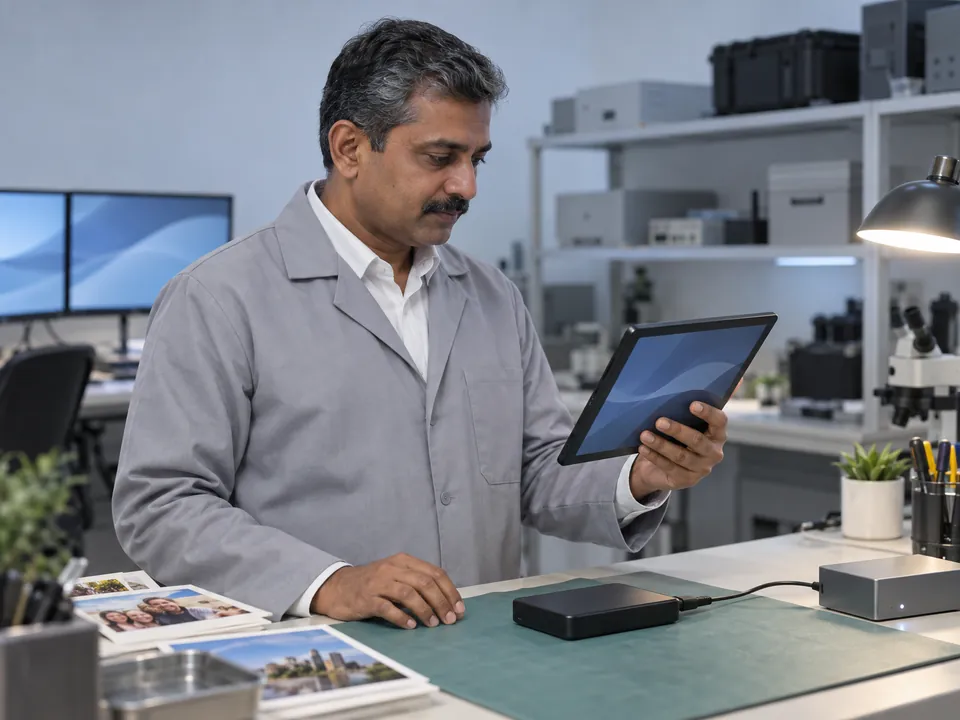
Step 1: Free diagnosis
We identify the fault — stuck heads, firmware/translator, PCB or heads — and confirm recoverability. No cost.
Step 2: Cleanroom / firmware repair
We free or replace stuck/failed heads in the cleanroom, or repair the F3 firmware and translator.
Step 3: Image & reconstruct
We clone the drive, then rebuild the file system and extract your files.
Step 4: Verify & return
Verified data returned on fresh media.
See the general process: hard drive recovery.
Transparent pricing
How much does Seagate recovery cost?
| Case type | Examples | Indicative range (SGD) |
|---|---|---|
| Logical | Corruption, RAW, deleted files | $180 – $650 |
| Firmware / PCB | Not detected, F3 translator fault | $300 – $900 |
| Physical (beeping/clicking) | Stuck or failed heads, cleanroom | $400 – $1,800 |
Free diagnosis = free quote
Exact fixed price before work begins. Full detail: data recovery cost guide →
Avoid permanent loss
DIY mistakes that destroy Seagate drives
Most of the unrecoverable Seagate drives that reach us were recoverable a week earlier. These are the usual reasons, and the mechanism behind each one.
Power-cycling a beeping drive
Each attempt torques stuck heads against the platter surface, scoring the magnetic coating and bending the head arms.
Swapping the PCB
A Seagate board holds adaptive parameters unique to that one drive. Fitting a board from an identical model without transferring the ROM usually makes matters worse.
Running software over bad sectors
Recovery software retries the same failing area for hours, heating the drive and widening the damage as it scans.
Shucking the enclosure
Separating an encrypting bridge board from its drive can leave the data unreadable even on a healthy machine.
Two more are worth naming. CHKDSK on a failing Seagate rewrites file-system structures using a drive that can no longer write reliably, turning a clean logical case into a partial one. And the freezer trick is a myth — condensation and thermal shock damage platters and heads, and it has never freed a stuck head-stack.
DIY software has one honest use: a healthy drive, a simple deletion, a backup elsewhere. See DIY vs professional recovery →
Recovery in the real world
Seagate recovery case studies
Representative examples from typical laboratory cases. Anonymised.
Bishan · Home user
Clicking Seagate — 12 years of photos
A 2TB Seagate started clicking mid-backup. We fitted a matched donor head-stack in the cleanroom, imaged the platters and rebuilt the file system.
99% recovered
CBD · Consultant
Beeping Backup Plus — stuck heads
A Seagate Backup Plus beeped and wouldn't spin up. We freed the stuck heads in the cleanroom and recovered the client's files.
Fully recovered
Tai Seng · SME
Barracuda F3 firmware fault
A Barracuda became inaccessible from a translator fault. We repaired the F3 firmware and extracted the data.
Data recovered
The honest comparison
CBL vs a reseller vs DIY software
For Seagate work three things decide the outcome: whether the lab repairs F3 firmware itself, whether it holds matching donor mechanisms, and whether your drive leaves the country.
Zero-risk guarantees
Free diagnosis & a fixed written quote
Free Diagnosis
We assess your Seagate drive — no cost, no obligation.
Work Stays In-House
Recovered in our in-house Singapore lab — never shipped overseas.
Fixed Quote First
A firm written price before any work begins. No hidden fees.
Answers
Seagate recovery FAQ
No. We are an independent data recovery lab, not affiliated with Seagate. Seagate does offer its own Rescue Data Recovery Services, included with some IronWolf, SkyHawk and external drives — if your drive came with it, check that first, as you have already paid for it. The trade-off is that the drive ships overseas and turnaround is usually weeks. We work on the drive here in Singapore.
They answer different questions. A warranty replacement is free but returns a drive, not your data. Recovery is a paid service that returns your files. If both matter, recover first and claim afterwards — the order is what counts.
Beeping means the read/write heads are stuck to the platters and the motor can't spin up — a physical fault needing cleanroom recovery. Power it off; don't keep switching it on. A free diagnosis confirms it.
Seagate's F3 firmware architecture can develop translator or module corruption that makes a physically healthy drive inaccessible. We repair the firmware in-house.
Yes — clicking is usually failed heads; we perform a cleanroom head-stack replacement. Power it off and don't run software on it.
Yes — plus Barracuda, IronWolf, SkyHawk, FireCuda and Seagate external SSDs.
Yes — shingled (SMR) Seagate drives need careful handling, which we provide.
Indicatively $180–$650 for logical, $300–$900 for firmware/PCB, and $400–$1,800 for physical. Your free diagnosis gives an exact fixed quote.
The label carries an ST or ZP model number, a firmware revision and a site code. Together they decide whether a donor mechanism will actually work — a head-stack from the wrong revision or the wrong manufacturing site will not read your platters even when the model and capacity match. Photograph the label before you come in and we can check donor stock before you arrive.
It can be either, and from the outside they look identical: no light, or a light with no volume appearing. On Seagate portables the USB connector is usually soldered onto the drive's own circuit board, so a dead port, a failed bridge chip and a failed mechanism all present the same way. A drive that spins quietly and is simply not recognised is more often electronic than mechanical, which is the better news. Beeping or clicking rules that out. The free diagnosis separates the two.
Some Seagate external enclosures encrypt at the bridge board whether or not you ever set a password in Seagate Toolkit. That is why removing the bare drive and connecting it to a SATA port can return nothing readable. Bring the enclosure, its cable and its power supply with the drive so the original bridge stays with its mechanism.
Shingled drives write overlapping tracks, so they are constantly reorganising data in the background. During imaging the drive stalls while it finishes that housekeeping, so we read at reduced speed with tighter timeouts instead of forcing it. It takes longer, but pushing an SMR drive hard is how a full recovery becomes a partial one.
What our clients say
Trusted by individuals and businesses in Singapore


Business Profile
Seagate Hard Drive Data Recovery – Rated by customers on Google
915Google reviews
4.9 out of 5
Updated 4 Nov 2026
“Thank you to the team at CBL for helping me recover all the contents from my faulty USB, which contained many precious family photos.”
Iris ShenUSB flash drive recovery · via Google “Great relief the engineers managed to recover all my data successfully from my damaged iPhone 14.”
Peter AndroidiPhone 14 recovery · via Google “Amazing service from CBL. They have restored all the data from my laptop. Sarah was very helpful and attentive to my queries.”
S YTLaptop recovery · via Google

The bottom line
Seagate drives fail in recognisable ways — beeping stuck heads, F3 firmware faults, clicking — and each needs the right specialist approach. Power a beeping or clicking Seagate off, don't power-cycle it, and let CBL diagnose it free. There's no risk in finding out.