
SSD, NVMe & Flash Recovery · Chip-Off Capable
SSD Data Recovery Singapore
Dead, undetected or read-only SSD? We recover NVMe, M.2 and SATA drives at the controller and NAND level — including chip-off. Honest about what's possible. Free diagnosis.
4.9 / 5915 reviews · 20+ years · cleanroom lab (opens Google in a new tab)- NAND chip-off
- Fixed written quote
- Free diagnosis
- Beside Tai Seng MRT
Quick answer
Yes — many failed SSDs are recoverable, but not all: it depends on the failure. Controller failures, firmware corruption and "not detected" drives are frequently recoverable, including via NAND chip-off. However, data erased by TRIM on a healthy SSD usually isn't. We'll tell you honestly at the free diagnosis.
Overview
SSD recovery is different — and honesty matters

Solid-state drives have no moving parts, so they don't click or crash like hard drives. But they fail in their own ways — sudden controller death, worn or unstable NAND, firmware bugs, and the quiet data-erasing effect of TRIM. Recovering them takes completely different tools and techniques from HDD recovery.
Many providers simply copy their hard-drive process onto an SSD page and over-promise. We won't. Some SSD scenarios have excellent recovery odds; others — particularly data already purged by TRIM — genuinely don't. Our job is to tell you the truth up front, then apply the right method: bypassing a dead controller, repairing firmware, or reading the raw NAND directly with chip-off recovery.
If your SSD is failing intermittently
Stop using it and back up immediately. Unlike hard drives, a failing SSD can go from "mostly working" to "completely dead" without warning as the controller degrades. Every power cycle is a risk.
Failure modes
How SSDs fail
SSD failures fall into four buckets. Tap each to understand what's happening — and how recoverable it is.
Controller failure — often recoverable
The controller is the SSD's "brain". When it dies, the drive vanishes from the system. Your data still sits intact on the NAND chips — we bypass the failed controller or read the NAND directly via chip-off, then rebuild the data using the drive's translation logic. One of the most common and recoverable SSD faults.
NAND wear / bad blocks — case-by-case
Flash cells wear out with writes. As blocks fail, the drive may go read-only or corrupt files. If the drive is read-only we can usually image it; if the NAND itself is badly degraded, recovery is partial. We assess the wear level at diagnosis.
Firmware corruption — often recoverable
SSDs run complex firmware that maps logical addresses to physical NAND (the "translator"). Corruption here can make a physically healthy drive unreadable. We access the drive in a technical mode, repair or rebuild the firmware/translator, and extract the data.
TRIM erasure — usually NOT recoverable
Here's the honest part. When you delete files on a healthy SSD, the operating system sends a TRIM command that tells the SSD to physically erase those blocks — often within seconds. Once TRIM has run, that data is genuinely gone, even for a lab. This is why deleted-file recovery on SSDs is far less certain than on hard drives.
Same problem, different words
SSD data recovery, NVMe, M.2, flash recovery — what people actually mean
Nearly every enquiry about a failed solid-state drive uses at least one of these words, and most people use them interchangeably. They are not the same thing. On flash storage, the physical format and the interface decide which recovery methods exist at all.

Form factor, interface and protocol are three different things
People talk about SSD, NVMe and M.2 as if they were competing products. They sit at different layers:
- SSD is the storage type. Data lives on NAND flash chips. Nothing spins, nothing clicks.
- 2.5in and M.2 are form factors — the physical shape and connector. An M.2 stick may be SATA or NVMe inside; the slot alone does not tell you which.
- SATA and PCIe are interfaces; AHCI and NVMe are protocols. NVMe data recovery means a PCIe-attached drive, which needs different adapters and reads differently on the bench from a SATA SSD.
- "Flash recovery" is the umbrella term for anything NAND-based — SSDs, USB sticks, SD cards and storage soldered straight onto a laptop board.
Why the physical format changes what is possible
A 2.5in SATA SSD is the most straightforward: standard connector, a removable circuit board, and NAND packages we can desolder and read directly if the controller is dead. An M.2 NVMe drive is the same idea in a smaller package — fewer, denser chips, and a controller that is often harder to reach in a technical mode. Soldered BGA flash on a thin laptop mainboard is the hardest of the three: there is no drive to remove, so any chip-off work happens on the motherboard itself, and on many recent designs the storage is bound to a security chip that will not release the data even when the flash reads perfectly.
That is why we ask what the drive physically looks like before discussing odds. The same symptom across those three formats is three very different jobs.
Not sure which one you have?
Photograph the drive, or the inside of the laptop, and send it over on WhatsApp before taking anything further apart. We can usually identify the form factor, the interface and often the controller family from a picture.
Diagnosis
Signs your SSD is failing
Solid-state drives rarely give you the courtesy of a warning noise. The signs are quieter than a dying hard drive's, and they are easy to explain away — right up until the drive stops answering altogether.

- It disappears from BIOS, then comes back. Listed one boot, gone the next. That is usually the controller becoming unstable, and it does not settle down on its own.
- Read-only mode. Windows or macOS refuses every write. The drive has protected itself. Nothing is lost yet — this is the moment to image it.
- Files quietly corrupting. Photos with bands through them, documents that no longer open, archives failing their checksum.
- Freezes and stutters. The machine hangs for seconds at a time while the drive retries a failing block.
- S.M.A.R.T. warnings. Reallocated sectors, a climbing media wear-out indicator, or a flat "failure imminent". Believe it.
- Capacity misreporting. The drive suddenly shows 8MB, 0MB, or an unfamiliar name such as SATAFIRM. That is the controller sitting in a safe mode, not proof the data is gone.
Any one of these means the same thing: back up now, while the drive still answers. The full symptom-by-symptom version lives here — signs your SSD is failing →
Don't run repair tools on it
chkdsk, Disk Utility First Aid, a firmware update or a manufacturer secure-erase all force writes onto a drive that is already struggling. If the data matters more than the drive does, stop and have it diagnosed instead.
Set expectations
The TRIM truth (why we're honest about SSDs)
If a company promises to recover any deleted file from any SSD, be cautious — TRIM makes that impossible in many cases. What we can reliably help with:
- Dead / not-detected SSDs (controller or firmware failure) — data intact on NAND
- Read-only SSDs — image before it fails completely
- Corrupted / RAW volumes where the drive still functions
- Physically damaged SSDs — chip-off from the raw NAND
Where odds drop sharply: files deleted or formatted on a healthy, TRIM-enabled SSD that's been powered on since. We'll always give you a straight answer at diagnosis rather than take a drive we can't help.
How it works
Our SSD recovery process
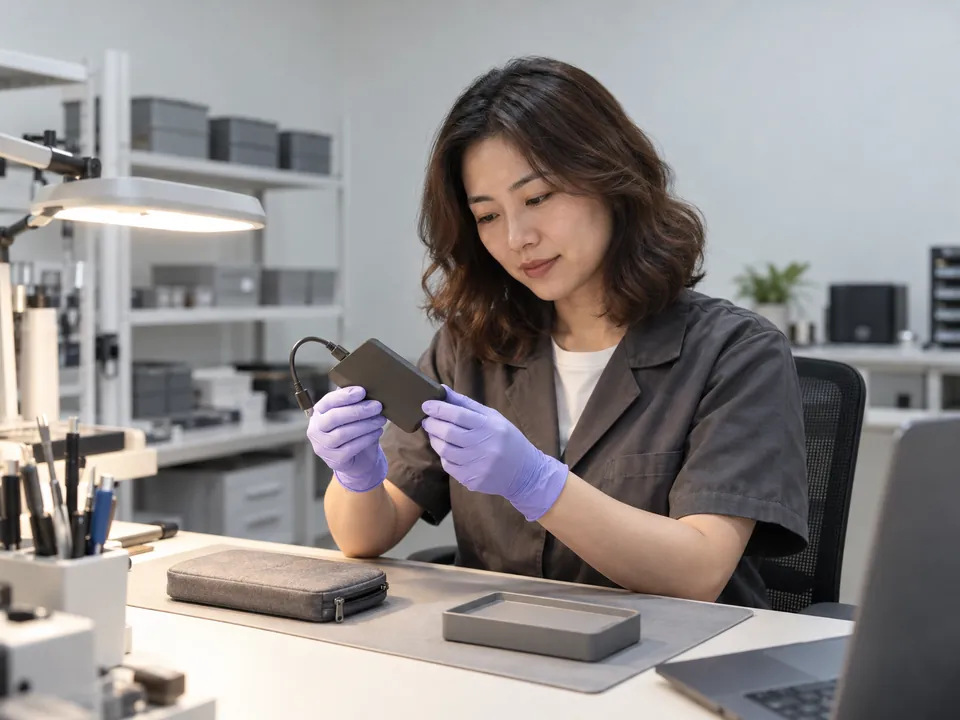
Step 1: Free diagnosis
We identify the failure — controller, NAND, firmware or logical — and tell you the realistic odds. No cost, no obligation.
Step 2: Controller / firmware access
We attempt to access the drive by bypassing the failed controller or repairing the firmware/translator in a technical mode.
Step 3: NAND chip-off (if needed)
For dead controllers or physical damage, we desolder the NAND chips and read them directly, then reconstruct the data — accounting for wear-levelling, XOR and ECC.
Step 4: Reconstruction & extraction
We rebuild the file system from the recovered image and extract your files, then give you a list to verify.
Step 5: Verify & return
Verified data returned on fresh media.
More on the lab: how professional data recovery works →
Honest expectations
What we can recover — by SSD failure
Recovery odds on an SSD depend on which part failed, not on how bad it looks from the outside. A drive that is completely dead to the system is often a better case than one that still mounts and reads badly.
| Scenario | Method | Typical outcome |
|---|---|---|
| Controller failure / not detected | Controller bypass or chip-off | High |
| Firmware / translator corruption | Firmware repair | High |
| Read-only mode | Image before total failure | High |
| Corrupted / RAW volume | Logical reconstruction | High |
| Physical damage (dead SSD) | NAND chip-off | Case-by-case |
| Deleted/formatted on healthy TRIM SSD | Assessed — often not possible | Low |
SSD not detected recovery — the case we take most often
Most of the SSD recovery Singapore enquiries that reach our lab begin the same way: the drive simply stopped appearing in BIOS, Disk Management or Disk Utility, with no warning and no noise. That points at the controller or the firmware translator far more often than at the NAND itself, which is why the outcome column above reads high. The data is usually still sitting on the flash, waiting to be read a different way.
What genuinely hurts these cases is what happens next — accepting Windows' offer to initialise the disk, running a manufacturer secure-erase or firmware flash to "reset" it, or letting a shop power-cycle it a few dozen times to see if it comes back.
We recover Samsung, WD, Crucial, Kingston, Intel and more — SATA, M.2 and NVMe — including MacBook SSDs. See also signs your SSD is failing →
Coverage
Drives and controllers we recover
The badge on the label matters less than what is underneath it. Two drives sold under the same brand can carry different controllers and behave nothing alike on the bench.
Model families we handle regularly:
- Samsung — 970, 980 and 990 EVO and PRO NVMe drives, plus the older 850 and 860 SATA line.
- Western Digital — WD Black SN series NVMe, WD Blue SATA, and SanDisk drives from the same stable.
- Crucial — MX SATA and P series NVMe.
- Kingston, Intel and Solidigm — consumer NVMe through to datacentre drives.
Why the controller decides the job
Underneath the badge sits a controller from Phison, Silicon Motion, Marvell or, on Samsung drives, their own in-house design. It holds the translator that maps logical addresses onto physical NAND, and it decides whether we can reach the drive in a technical mode or have to go to chip-off. It also handles encryption — and most modern controllers encrypt by default, whether or not you ever switched anything on. Raw NAND lifted from an encrypted drive is noise until its keys are recovered alongside it. That is a large part of why we diagnose first and quote second.
Transparent pricing
How much does SSD recovery cost?
SSD recovery is specialised work; cost reflects the method needed.
| Case type | Examples | Indicative range (SGD) |
|---|---|---|
| Logical | Corruption, RAW, read-only imaging | $250 – $900 |
| Firmware / controller | Not detected, translator repair | $400 – $1,800 |
| Chip-off / NAND | Dead SSD, physical damage, monolith | $400 – $1,800 |
Free diagnosis = free quote
Exact fixed price confirmed before any work. Full detail: data recovery cost guide →
Recovery in the real world
SSD recovery case studies
Representative examples from typical laboratory cases. Anonymised.
CBD · Consultant
NVMe SSD vanished from laptop
A Samsung NVMe drive stopped being detected overnight — a controller failure. We accessed the NAND via chip-off and rebuilt the data with the drive's XOR/wear-levelling scheme.
100% recovered
Paya Lebar · Startup
SSD stuck in read-only mode
A worn SATA SSD flipped to read-only. Because it still responded, we imaged it immediately before it failed completely and reconstructed the volume.
97% recovered
Tai Seng · Photographer
SSD declined by another shop
A firmware-corrupted SSD another provider called "dead". We accessed it in a technical mode, repaired the translator, and extracted the client's photo library.
Full library recovered
The honest comparison
CBL vs a reseller vs DIY software
Zero-risk guarantees
Free diagnosis & a fixed written quote
Free Diagnosis
Honest assessment of your SSD — no cost, no obligation.
Work Stays In-House
Recovered in our in-house Singapore lab — never shipped overseas.
Fixed Quote First
A firm written price before any work begins. No hidden fees.
Answers
SSD recovery FAQ
Often yes. If the controller or firmware failed, your data is usually intact on the NAND and recoverable via controller bypass or chip-off. A free diagnosis confirms your case.
For files deleted or formatted on a healthy, TRIM-enabled SSD that's since been powered on — often yes, that data is physically erased. For dead/undetected/corrupt SSDs, TRIM isn't the issue and recovery odds are good.
Yes. We desolder the NAND chips and read them directly, then rebuild the data accounting for wear-levelling, XOR and ECC — used for dead controllers and physically damaged SSDs.
Usually yes — "not detected" is typically a controller or firmware fault, both of which we address in-house. Avoid formatting or initialising the drive.
Yes — SATA, M.2 and NVMe, across Samsung, WD, Crucial, Kingston, Intel and more, including MacBook SSDs.
Indicatively $250–$900 (logical), $400–$1,800 (firmware/controller), $400–$1,800 (chip-off). Your free diagnosis gives an exact fixed quote.
Back up immediately and stop using it — SSDs can fail suddenly. See signs your SSD is failing.
In practice, yes. NVMe drives sit on the PCIe bus, so they need different adapters and imaging hardware, and their controllers run hotter and denser than SATA ones — which changes how we power and read them. The underlying logic is the same: reach the NAND, rebuild the translator, reassemble the data.
Usually not. A drive reporting 8MB, 0MB or an odd name such as SATAFIRM has dropped into the controller's safe mode, and the NAND behind it is often untouched. Don't initialise or format it, and don't apply a firmware update. SSD not detected recovery is routine work for us — bring it in for a free diagnosis.
Sometimes. Where the flash is soldered to the mainboard there is no drive to remove, so we work on the board itself. On machines where storage is bound to a security chip — most recent Macs and a growing number of Windows laptops — the data stays encrypted to that specific board, and if the board is beyond reviving we will say so plainly rather than run up a bill.
What our clients say
Trusted by individuals and businesses in Singapore


Business Profile
SSD Data Recovery – Rated by customers on Google
915Google reviews
4.9 out of 5
Updated 4 Nov 2026
“Thank you to the team at CBL for helping me recover all the contents from my faulty USB, which contained many precious family photos.”
Iris ShenUSB flash drive recovery · via Google “Great relief the engineers managed to recover all my data successfully from my damaged iPhone 14.”
Peter AndroidiPhone 14 recovery · via Google “Amazing service from CBL. They have restored all the data from my laptop. Sarah was very helpful and attentive to my queries.”
S YTLaptop recovery · via Google

The bottom line
SSD recovery rewards expertise and honesty over false promises. CBL brings controller, firmware and chip-off capability, a straight answer about what's possible — so there’s no risk in finding out. Back it up if you still can, then let's take a look.
Service scope
What we do — and what we don’t
CBL Data Recovery (S) Pte Ltd (UEN 201101007Z) is the service provider — not a reseller, referral service or agent. We are a data recovery laboratory. You bring or ship your storage device to our own lab at 6 Harper Road, Leong Huat Building #05-02, beside Tai Seng MRT. Our own engineers image the media in our in-house cleanroom and return your recovered files.
Services we do not offer
We do not provide remote access or remote sessions, telephone troubleshooting, virus or malware removal, password resets, account recovery, software installation, or device repair, and we sell no software or subscriptions. Any physical work on your media is carried out solely to bring it to a readable state so it can be imaged — you receive your recovered files, not a repaired device.
We do not bypass encryption or account security. Where a device is encrypted, recovery requires the owner’s own password or key. Diagnosis is free, and all work is quoted in writing before it begins.