

A look inside the lab
How Data Recovery Actually Works
Ever wondered what happens to your drive after you hand it over? Here's a plain-English walkthrough of every stage — from free diagnosis to cleanroom work, file-system reconstruction, and verified handover.
4.9 / 5140,000+ recoveries · in-house cleanroom (opens Google in a new tab)Quick answer
Data recovery is a careful, methodical process — not a quick fix. We diagnose the fault, make a forensic image so the original is never made worse, stabilise the drive (in a cleanroom if it's a physical failure), reconstruct the file system, extract your data, and verify it before handover. The goal at every step is to touch the failing media as little as possible while getting the most data back.
Start here
The basic idea
Every recovery answers two questions: why can't the drive be read normally, and how do we get the data off without losing more? A failure is either logical (the hardware works, but the file system, partition or files are damaged/deleted) or physical (the drive itself is broken — failed heads, motor, electronics or NAND). The approach differs, but the discipline is the same: work on copies, minimise stress on the media, and verify everything.
Step by step
The 6-step recovery process

Step 1: Intake & free diagnosis
We log your device, note the symptoms, and run a careful assessment to identify the failure type and what's recoverable.
Step 2: Fixed quote & your approval
You get a clear, fixed price and expected outcome before any recovery work begins. Nothing proceeds without your go-ahead.
Step 3: Stabilise & image
If the drive is physically weak, we stabilise it — cleanroom work if needed — then take a sector-by-sector forensic image so all further work happens on a copy.
Step 4: Reconstruct the file system
From the image, we rebuild partitions, repair the file system, and reassemble RAID/NAS arrays where relevant so files become readable again.
Step 5: Extract & verify
We extract your files and verify they open correctly, then produce a file listing so you can confirm what's been recovered.
Step 6: Handover
Recovered data is returned to you on fresh media once you approve the quote.
The golden rule
Why we image the drive first
A failing drive can die permanently at any moment, and every read puts stress on it. So the first real step is to make a forensic image — a complete, sector-level copy — using specialised hardware that reads gently and retries bad areas intelligently. All reconstruction then happens on the image, not your fragile original. This is the single biggest reason professional recovery succeeds where DIY software (which hammers the live drive) often fails.
Why DIY can backfire
Running scan-and-recover software on a physically failing drive keeps it spinning and reading for hours — often finishing the drive off before it finishes the scan. See DIY vs professional.
Where cleanroom work happens
What a cleanroom is — and why it matters
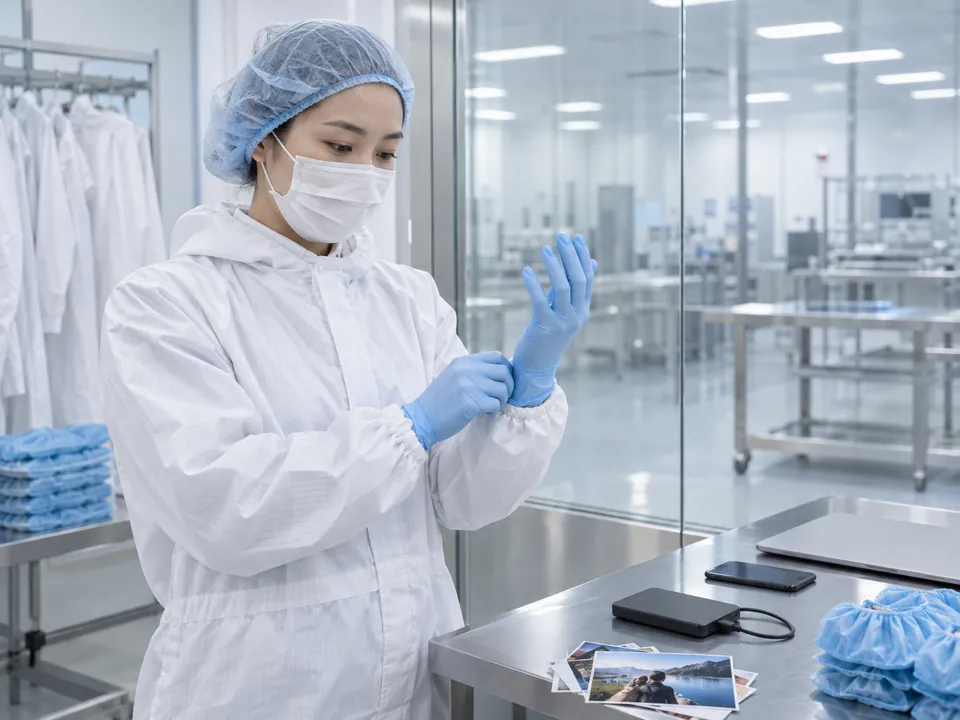
The cleanroom
Inside a hard drive, the read/write heads fly nanometres above spinning platters. A single dust particle — smaller than you can see — can crash a head and scratch the platter, destroying data. So when a drive needs to be opened (e.g. to replace failed heads), it must happen in a filtered, controlled-air cleanroom — never on an open bench.
Clean
Filtered-air environment
<nm
Head-to-platter gap
0
Dust tolerance
✓
Head/motor swaps
This is exactly why "no cleanroom" shops and resellers are risky for physical failures — and one of the key criteria when choosing a lab.
Two very different jobs
Logical vs physical recovery at a glance
| Item | Logical failure | Physical failure |
|---|---|---|
| What's wrong | File system, partition, deletion, format, corruption | Failed heads, motor, PCB, or NAND — drive is broken |
| Drive detected? | Usually yes | Often no / clicking / not spinning |
| Cleanroom needed? | No | Often yes |
| Main work | Imaging + software reconstruction | Component-level work, then imaging + reconstruction |
Deep-dive: physical vs logical failure explained.
Timing
How long does data recovery take?

Logical cases
Often 1–3 business days once approved.
Cleanroom work
Typically several days — depends on parts & severity.
RAID / NAS
Varies with array size and complexity.
Emergency service
Faster turnaround available for urgent cases.
Your free diagnosis includes a realistic time estimate for your specific case.
Answers
How recovery works — FAQ
We diagnose it, make a forensic image (stabilising it in the cleanroom first if it's physically failed), reconstruct the file system from that image, extract and verify your files, then hand them back on fresh media.
Because a failing drive can die at any moment and every read stresses it. Imaging captures the data safely first, then all work happens on the copy — protecting your original.
A filtered, controlled-air environment for opening drives safely. It's essential for physical work like head swaps — a speck of dust can destroy data. Logical recoveries don't need the drive opened.
Yes. You get a fixed quote up front and a verified file listing before handover.
Yes — confidential, PDPA-aware handling throughout, with NDAs available for businesses.
Most, but not all. Overwritten data, securely-wiped data, and strongly-encrypted data with no key are genuine limits. We tell you honestly at diagnosis.
It depends on the failure type — a logical recovery and a cleanroom head swap are very different jobs. Our cost guide sets out the ranges. Diagnosis is free.
Zero risk
Free diagnosis & a fixed written quote
What our clients say
Trusted by individuals and businesses in Singapore


Business Profile
Data Recovery – Rated by customers on Google
915Google reviews
4.9 out of 5
Updated 4 Nov 2026
“Thank you to the team at CBL for helping me recover all the contents from my faulty USB, which contained many precious family photos.”
Iris ShenUSB flash drive recovery · via Google “Great relief the engineers managed to recover all my data successfully from my damaged iPhone 14.”
Peter AndroidiPhone 14 recovery · via Google “Amazing service from CBL. They have restored all the data from my laptop. Sarah was very helpful and attentive to my queries.”
S YTLaptop recovery · via Google