
A laptop that will not switch on almost never means the data is gone. In most cases the drive is fine and the fault is power, the board or the screen. The two things that genuinely lose data are encryption without the key, and people trying fixes that overwrite the disk. Diagnosis is free and you get a fixed written quote before any work begins.
How laptop data recovery works
Most laptop failures are not storage failures. The drive usually survives the thing that killed the laptop.
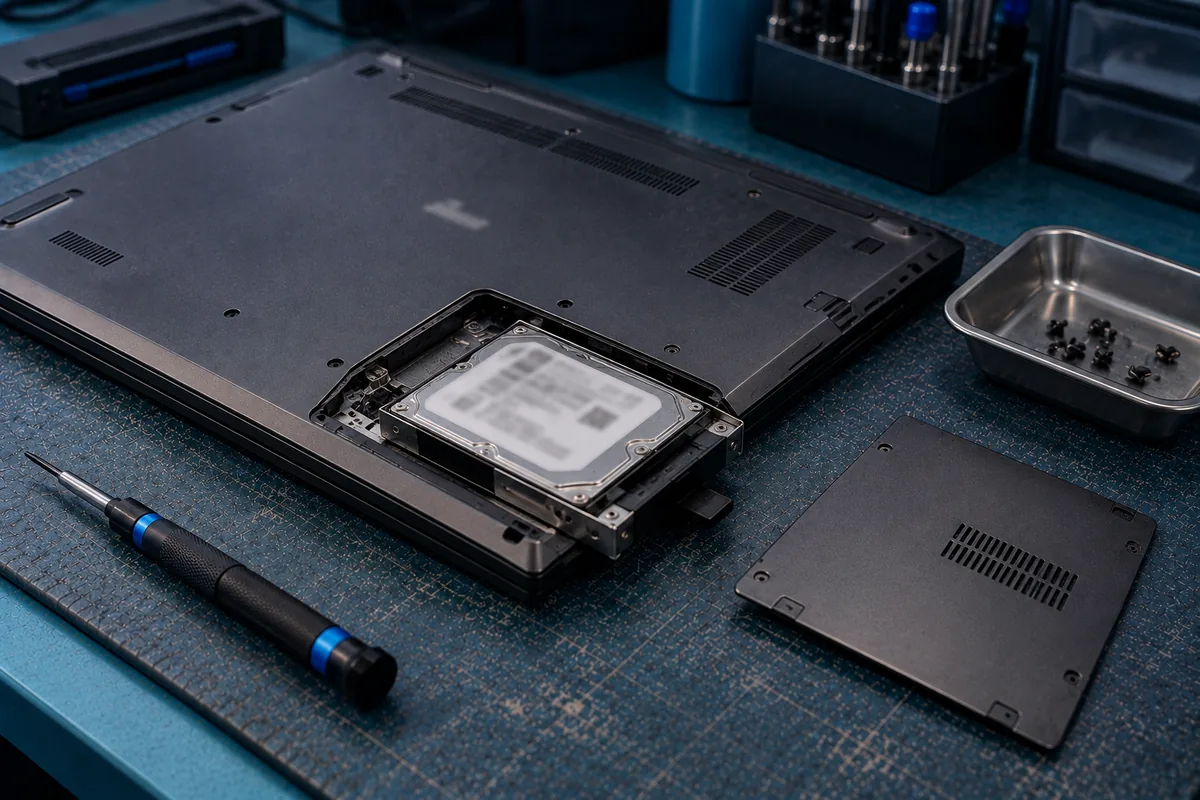
Where the storage is a removable 2.5″ drive or an M.2 NVMe stick, the fastest route is simply to take it out and image it on our own equipment — sector by sector, so the original is never put at further risk. That covers a large share of what walks through the door.
Modern thin laptops are harder. Storage is increasingly soldered to the mainboard and often encrypted, so it cannot be moved to another machine. Recovery then means board-level work to bring the system up far enough to read the data, or work at chip level. That is done by our own engineers at 6 Harper Road. Nothing is sent overseas.
Many Windows 11 laptops have BitLocker enabled by default, and Macs have FileVault. Encryption is not an obstacle we work around — it is mathematics. With your recovery key, recovery is usually straightforward. Without it, the data cannot be read by us or anyone else. Find your BitLocker key first.
Files gone after a Windows update?
A feature update is one of the most common moments to lose access to files. The good news is that in most cases nothing has actually been deleted.
- The update failed part-way and the laptop will not finish booting. The data is normally intact on the disk and can be imaged.
- You are signed into a new, empty profile. The update created a fresh local account and your old profile is still sitting in C:\Users. This looks like total loss and usually is not.
- The laptop asks for a BitLocker recovery key it never asked for before. A firmware or TPM change can trigger this. Find the key on your Microsoft account before doing anything else.
- It will not power on at all afterwards. Usually coincidence rather than cause — an ageing drive or power circuit failing during a heavy write.
Stop. Do not repeat the update, do not reset the PC, and do not run repair or optimisation tools. A reset can wipe the profile you are trying to reach. Power it off and bring it in.
Windows 10 end of support — moving off an old laptop
Mainstream support for Windows 10 ended in October 2025. That is pushing a lot of people in Singapore to replace or upgrade ageing laptops, and migrations are one of the most reliable ways to lose data.
The pattern we see repeatedly:
- An old laptop is retired and the drive is wiped or the machine disposed of before anyone checks the transfer was complete
- A clone or migration tool fails part-way and the source is reformatted anyway
- An in-place upgrade on hardware with an ageing drive pushes it over the edge
- Files that only ever lived on the desktop of the old machine never make it across
Before you retire an old laptop: confirm the files are genuinely on the new machine and open correctly, keep the old drive for a few months rather than wiping it immediately, and do not run a heavy upgrade on a drive that has been making noise. If the old machine has already failed and you never got the data off, bring it in — the drive is usually still readable.
What can & can’t be recovered
✅ Usually recoverable
- Laptop dead, no power, no charging response
- Liquid damage, if it has not been powered up repeatedly since
- Cracked screen or failed display on a machine that still runs
- Failed or interrupted Windows update; boot loops
- Dropped laptops, including clicking hard drives
- Deleted files on a mechanical hard drive, if the machine has not been used since
- Old laptops that have sat unused for years
🛑 Not recoverable — by us or anyone
- BitLocker or FileVault encrypted, with no recovery key. The data stays encrypted; no laboratory can read it
- After a full reinstall or secure wipe over the top of the original data
- Deleted files on a healthy SSD, in most cases. TRIM means deleted usually is gone — see SSD data recovery
- Files that only ever existed in OneDrive or Google Drive — that is an account matter, not a laboratory one
Laptop brands we recover
The brand changes the disassembly and the drive type. It does not change the approach.
- Dell — Latitude, XPS, Inspiron, Precision
- HP — EliteBook, ProBook, Pavilion, Envy, Omen
- Lenovo — ThinkPad, IdeaPad, Yoga, Legion
- Asus and Acer — including ROG and Predator gaming models
- MSI and Razer gaming laptops
- Microsoft Surface — heavily integrated, storage often soldered
- Apple — see Mac data recovery for MacBook, iMac and Mac mini
Common laptop situations we handle
- ⚡ No power at all. Frequently the charging circuit or a power component, not the drive.
- 💧 Coffee, water or juice. Shut it down and leave it off. Every power-on spreads corrosion.
- 💥 Dropped. On a mechanical drive this can mean head damage — if it clicks, stop immediately.
- 🔄 Boot loop or blue screen. Usually a software-level fault over healthy storage.
- 💿 Drive not detected in BIOS. Points at the drive rather than the laptop.
- 🔒 Sudden BitLocker prompt. Find the key before trying anything else.
CBL vs a repair shop vs DIY software
| CBL laboratory | Repair shop | DIY software | |
|---|---|---|---|
| Goal | ✓ Get your data off | Get the laptop working | Scan a working drive |
| Images first | ✓ Always | Rarely | ✗ Reads the original directly |
| Physically failed drive | ✓ Cleanroom | Usually outsourced | ✗ Can worsen it |
| Soldered / encrypted storage | ✓ Board level | Varies | ✗ No |
| Pay only on success | ✓ Standard cases | Pay for the repair | Licence up front |
A repair shop is trying to give you a working laptop, and may reinstall Windows or swap the drive to get there — taking your files with it. We are trying to give you back your data. If the data matters more than the machine, say so before anyone starts.
If your laptop just failed
- Stop using it. Every minute a failing drive runs is a minute it can get worse.
- Shut it down after a spill and leave it off. No rice, no hairdryer.
- If it is clicking or beeping, power it off now. That is mechanical, and it degrades with every attempt.
- Do not reset, reinstall or run repair tools. These write to the disk you are trying to read.
- Find your BitLocker recovery key before anything else if you are prompted for one.
- Bring it in. Walk in or post it. Diagnosis is free.
Free diagnosis & a fixed written quote
We look at the machine, tell you what is wrong and what it will cost, in writing, before any work starts.
- Diagnosis is free. No charge to find out where you stand.
- Fixed written quote before we begin — not an estimate that moves.
- You verify before you pay. We show you the recovered file list and you confirm your data is there.
- No recovery, no fee on standard cases.
- Confidential. Handled in line with Singapore’s PDPA; NDAs available on request.
Laptop recovery FAQ
My laptop will not turn on. Are my files gone?+
I spilled a drink on my laptop. What should I do right now?+
Windows asks for a BitLocker recovery key. Can you get past it?+
My files disappeared after a Windows update. Can they be recovered?+
The SSD is soldered to the board. Does that change anything?+
Do you recover from all laptop brands?+
How much does laptop data recovery cost?+
What we do — and what we don’t
CBL Data Recovery (S) Pte Ltd (UEN 201101007Z) is the service provider — not a reseller, referral service or agent. We are a data recovery laboratory. You bring or ship your storage device to our own lab at 6 Harper Road, Leong Huat Building #05-02, beside Tai Seng MRT. Our own engineers image the media in our in-house cleanroom and return your recovered files.
We do not provide remote access or remote sessions, telephone troubleshooting, virus or malware removal, password resets, account recovery, software installation, or device repair, and we sell no software or subscriptions. Any physical work on your media is carried out solely to bring it to a readable state so it can be imaged — you receive your recovered files, not a repaired device.
We do not bypass encryption or account security. Where a device is encrypted, recovery requires the owner’s own password or key. Diagnosis is free, and all work is quoted in writing before it begins.