
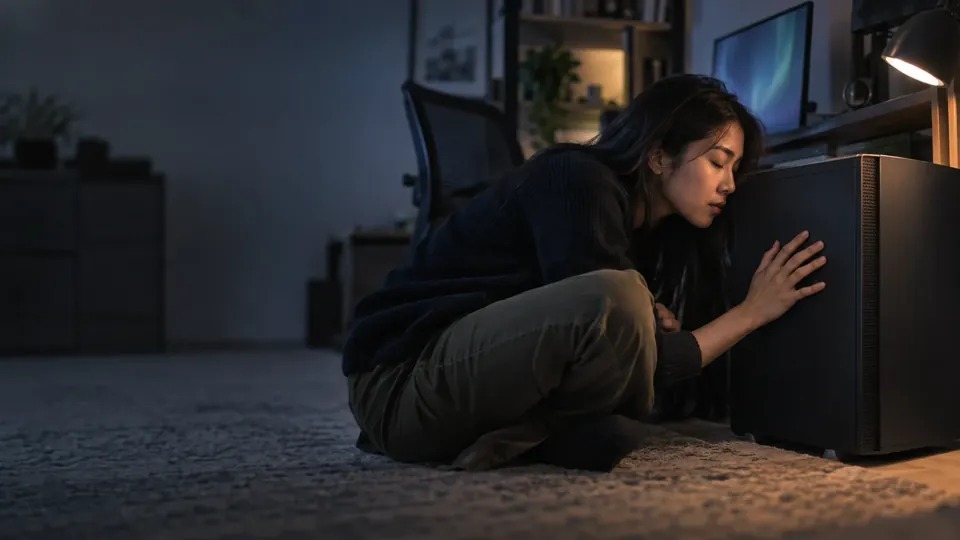
Why is my hard drive beeping?
Why Does a Hard Drive Beep? Causes & What to Do (2026)
A hard drive that beeps instead of spinning up is trying to tell you something serious. It usually means the drive is physically stuck — and how you respond decides whether your data survives. Here's why hard drives beep in 2026, what it means, and what to do.
4.9 / 5915 Google reviews · Cleanroom lab (opens Google in a new tab)7 min read · Updated 2026-08-01
You plug in your hard drive and instead of the familiar spin-up, you hear a faint, repetitive beeping — and the drive doesn't appear. It's an alarming sound, and it means something specific and serious: the drive is trying to start but physically can't. The beeping is actually a symptom you can learn a lot from, and — crucially — how you respond in the next few minutes decides whether your data survives. This guide explains why hard drives beep in 2026, what it means for your data, and exactly what to do.
From the engineers at CBL Data Recovery Singapore, who recover beeping drives every week.
Guide
What the beeping actually is
Here's the key insight: the beeping is not an electronic alarm the drive is deliberately sounding. It's the sound of the drive's spindle motor trying to spin up the platters and failing — the motor draws power in pulses as it strains against something stuck, and each strained attempt makes that beep-like sound. In other words, your drive is physically jammed and can't get moving. This is a mechanical failure, and it's why a beeping drive doesn't appear on your computer: it never spun up to be read.
Guide
The common causes of a beeping hard drive
1. Stuck spindle motor. After a drop or over time, the spindle bearing can seize, so the motor can't turn the platters. The motor tries, strains, and beeps.
2. Stiction (stuck heads). The read/write heads, which should float above the platters, can become stuck to the platter surface — a condition called stiction, common after a drop or long storage. The motor can't spin because the heads are glued down, so it beeps.
3. Physical damage from a drop or impact. Impact can jam the internal mechanics, causing the motor to stall and beep on power-up.
4. Power problems. Occasionally, insufficient power (a weak USB port or failing cable on an external drive) can cause a drive to attempt spin-up and fail — worth ruling out, though the causes above are more common.
Nearly all of these are physical, inside the sealed drive — which is why there's no software fix, and why the response matters so much.
Guide
What to do (and absolutely not do)
Your actions now determine whether the data is recoverable:
- Power it off immediately. Don't leave a beeping drive powered on. Each strained spin-up attempt can cause more damage — worsening stiction, scratching platters, or straining the motor further.
- Don't keep plugging it in "to try again." Every attempt is another chance to make the damage permanent.
- Rule out power once, gently. For an external drive, try the original cable and a different port (or the proper power adapter) once. If it still beeps, stop.
- Do NOT try physical "fixes." The internet is full of dangerous myths — freezing the drive, hitting it, spinning it by hand, or opening it. All of these can destroy the platters and your data. Opening a drive outside a cleanroom lets dust land on the platters, ruining them.
The single best thing you can do for a beeping drive is stop — power it down and leave it alone until it's in the hands of a lab.
Guide
Can a beeping hard drive be fixed?
Here's the reassuring part: yes, a beeping drive is very often recoverable — but by a lab, not at home. In a cleanroom, engineers can free stuck heads, replace a seized motor or swap the platters into a working drive's chassis, or otherwise get the drive spinning long enough to extract the data. The data on the platters is usually intact — the problem is purely that the drive can't spin to read it. Because that work requires opening the sealed drive in a dust-free cleanroom and specialist parts, it's not a DIY job. But the success rates for beeping drives handled properly are strong, provided the owner stopped trying to power it on before scratching the platters.
Every power-on risks the data
A beeping drive is physically stuck, and repeatedly powering it on can turn a recoverable drive into a lost cause — straining the motor or letting stuck heads scratch the platters. Power it off and don't try home "fixes." See our hard drive recovery and clicking-noise guides.
Guide
When to call a lab
A beeping hard drive is essentially always a lab case — there's no safe home fix for a physically stuck drive. Call a lab when your drive beeps and won't spin up, especially if it holds irreplaceable data. Labs open the drive in a cleanroom, free or replace the stuck components, and extract the data. You receive your recovered files, not a repaired drive. Because continued power-on attempts cause more damage, the sooner you stop and get it assessed, the better your chances.
Hard drive beeping and won't spin up?
CBL's cleanroom lab recovers data from beeping and stuck drives — free diagnosis, fixed quote before any work.
WhatsApp: +65 8127 7508
Call: +65 6588 0261
Guide
How to avoid a beeping drive
- Handle drives gently — drops are a leading cause of stuck heads and seized motors.
- Don't store drives unused for years — long storage can cause stiction; power them occasionally.
- Use quality cables and adequate power for external drives.
- Keep a backup, so a beeping drive is an inconvenience, not a disaster. See our data backup tactics.
Guide
Frequently Asked Questions
The beeping is the spindle motor straining to spin up the platters and failing — usually because the motor is seized or the read/write heads are stuck to the platters (stiction), often after a drop or long storage. It's a mechanical failure, which is why the drive doesn't appear.
Yes, but by a cleanroom lab, not at home. Engineers can free stuck heads or replace a seized motor and extract the data, which is usually intact on the platters. There's no safe DIY fix for a physically stuck drive.
Power it off immediately and don't keep plugging it in — each strained attempt can worsen the damage. Rule out a power/cable issue once, then stop and consult a lab. Never freeze, hit, or open the drive.
Usually not — the data on the platters is typically intact; the drive just can't spin to read it. A lab can often recover it, provided you stopped powering it on before the platters were scratched.
No — these myths can destroy the platters and your data. Freezing causes condensation and corrosion; hitting can scratch the platters. Power it off and get it to a lab. Contact us for a free diagnosis.
What our clients say
Trusted by individuals and businesses in Singapore


Business Profile
Data Recovery – Rated by customers on Google
915Google reviews
4.9 out of 5
Updated 4 Nov 2026
“Thank you to the team at CBL for helping me recover all the contents from my faulty USB, which contained many precious family photos.”
Iris ShenUSB flash drive recovery · via Google “Great relief the engineers managed to recover all my data successfully from my damaged iPhone 14.”
Peter AndroidiPhone 14 recovery · via Google “Amazing service from CBL. They have restored all the data from my laptop. Sarah was very helpful and attentive to my queries.”
S YTLaptop recovery · via Google