
Android recovery, honestly
The Best Android SD Card Recovery Apps (2026)
Search "SD card recovery" on the Play Store and you'll find dozens of apps promising to bring back deleted photos. Some genuinely help; many don't. Here's an honest 2026 guide to the best Android SD card recovery apps — what they can do, their limits, and when a PC or lab is the smarter move.
4.9 / 5915 Google reviews · Cleanroom lab (opens Google in a new tab)6 min read · Updated 2026-08-02
Delete the wrong photos, or watch a card go "corrupted" mid-shoot, and the first instinct is to grab an app from the Play Store. Dozens promise to restore your files in a tap. The reality in 2026 is more nuanced: a few Android apps genuinely recover deleted files from an SD card, many are ad-laden dead ends, and for the hardest cases nothing on the phone will help. This is an honest guide to what actually works — and, just as importantly, what to do first so you don't wreck your chances.
From the engineers at CBL Data Recovery Singapore, who recover SD cards that apps couldn't touch.
Guide
The one rule that matters most
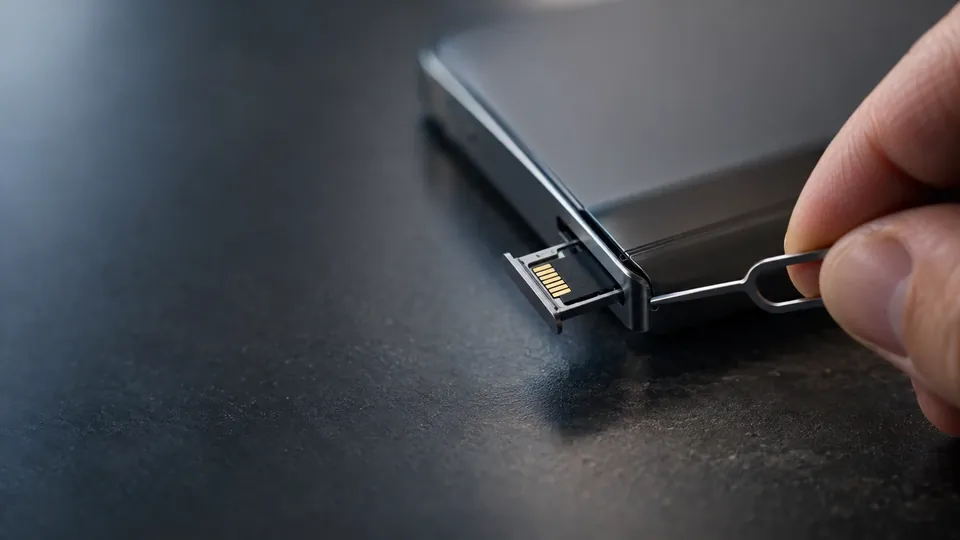
Before any app: stop using the card the moment you realise files are missing. Deleted files aren't erased immediately — they sit on the card until new data overwrites them. Every new photo, every app that writes cache to the card, reduces what's recoverable. If the missing files matter, pop the card out of the phone and don't write anything else to it.
Guide
What Android apps can — and can't — do
Here's the honest picture:
- Removable SD cards are the good case. Because they use a simple file system and don't run TRIM, deleted files linger and are often recoverable.
- Rooted vs unrooted matters. Without root, most apps can only do a shallow scan of thumbnails and cached copies. A deep scan of the raw card — the kind that actually finds deleted originals — usually needs root access, which most people don't have.
- Phone internal storage is the hard case. Modern Android internal storage is encrypted and runs TRIM, so deleted files there are often gone for good. This guide is about the SD card, which is far more recoverable.
- No app recovers a physically dead card. If the card is cracked, water-damaged, or not detected, that's a lab job.
Guide
The apps worth trying
A few options have a genuine track record on Android SD cards:
- DiskDigger — the best-known Android recovery app. Its "full scan" (which benefits from root) can recover photos and some other file types from an SD card. Without root it's limited to a basic scan, but it's still the first thing to try.
- Built-in and cloud trash first. Before any app, check Google Photos → Trash (holds deleted photos ~60 days) and your phone gallery's own recently-deleted folder. Many "lost" photos are one tap away here.
- Vendor gallery recycle bins. Samsung, Xiaomi, and others keep their own trash folders — check these before assuming a photo is gone.
Treat the app store rankings with suspicion: many top results are heavy on ads and light on actual recovery. Stick to a known tool, and don't pay before you've confirmed it can see your files.
Beware apps that make you install onto the same card
Any recovery tool that writes itself, its cache, or its "recovered" files back onto the card you're recovering from can overwrite the very data you're trying to save. Recover to phone internal storage or, better, pull the card and recover on a PC. And ignore apps promising to recover from a physically damaged card — no app can. See our SD card recovery service for those.
Guide
Why a PC is often the better tool
For anything beyond a shallow scan, moving the card to a computer beats a phone app:
- You avoid root entirely — a card reader gives full raw access on any PC or Mac.
- Desktop tools are stronger. PhotoRec, Recuva, and Disk Drill do deeper, more reliable scans than phone apps.
- You can recover to a separate drive, so you never risk overwriting the card.
If the photos genuinely matter, take the card out, put it in a reader, and recover on a computer.
Guide
When an app (and a PC) won't be enough
Some situations are beyond any software:
- The card is cracked, bent, or water-damaged.
- No phone, reader, or PC detects it.
- It reads as RAW or asks to be formatted, and software scans come back empty.
- The data is simply irreplaceable and you don't want to risk DIY attempts.
These are chip-level recovery cases — a lab reads the memory chip directly, which no app can do.
Guide
When to call a lab
Call a lab when the card is physically damaged or undetected, when DIY apps and desktop tools both come up empty, or when the photos are too important to gamble on. Labs recover data at the chip level from cards software can't reach — and the sooner you stop DIY attempts, the more survives.
App couldn't recover your card?
CBL's cleanroom lab recovers photos and files from failed, corrupted, and physically damaged SD cards — free diagnosis, fixed quote before any work.
WhatsApp: +65 8127 7508
Call: +65 6588 0261
Guide
The bottom line
For deleted photos on a removable Android SD card, you have real options — start with your phone's and Google Photos' trash, try a reputable app like DiskDigger, and for anything serious move the card to a PC and recover to a separate drive. Just remember the golden rule: the moment files go missing, stop writing to the card. And when the card is physically damaged or software comes up empty, that's when a lab — not another app — is the answer.
Guide
Frequently Asked Questions
DiskDigger is the most reliable well-known option; its full scan (best with root) can recover photos and some file types from an SD card. But first check your phone gallery's recently-deleted folder and Google Photos Trash — many "lost" photos are still there. For serious recovery, a PC with a card reader beats any phone app.
For a shallow scan of thumbnails and cached copies, no. For a deep scan that finds deleted originals on the card, most apps need root — which most users don't have. The easier and safer alternative is to remove the card and recover it on a computer, which needs no root at all.
No. If the card is cracked, water-damaged, or not detected by any device, no app can help — the data has to be read directly from the memory chip in a lab. Apps only work on cards that are still readable.
No — installing the app or saving recovered files back onto the card you're recovering can overwrite the deleted data you're trying to save. Recover to phone internal storage, or better, pull the card and recover on a PC to a separate drive.
Not necessarily. Phone apps are limited, especially without root. Try a stronger desktop tool with the card in a reader first. If that also fails and the card reads as RAW, is undetected, or is damaged, a lab can often still recover it at the chip level. Contact us before giving up.
What our clients say
Trusted by individuals and businesses in Singapore


Business Profile
Data Recovery – Rated by customers on Google
915Google reviews
4.9 out of 5
Updated 5 Nov 2026
“Thank you to the team at CBL for helping me recover all the contents from my faulty USB, which contained many precious family photos.”
Iris ShenUSB flash drive recovery · via Google “Great relief the engineers managed to recover all my data successfully from my damaged iPhone 14.”
Peter AndroidiPhone 14 recovery · via Google “Amazing service from CBL. They have restored all the data from my laptop. Sarah was very helpful and attentive to my queries.”
S YTLaptop recovery · via Google