
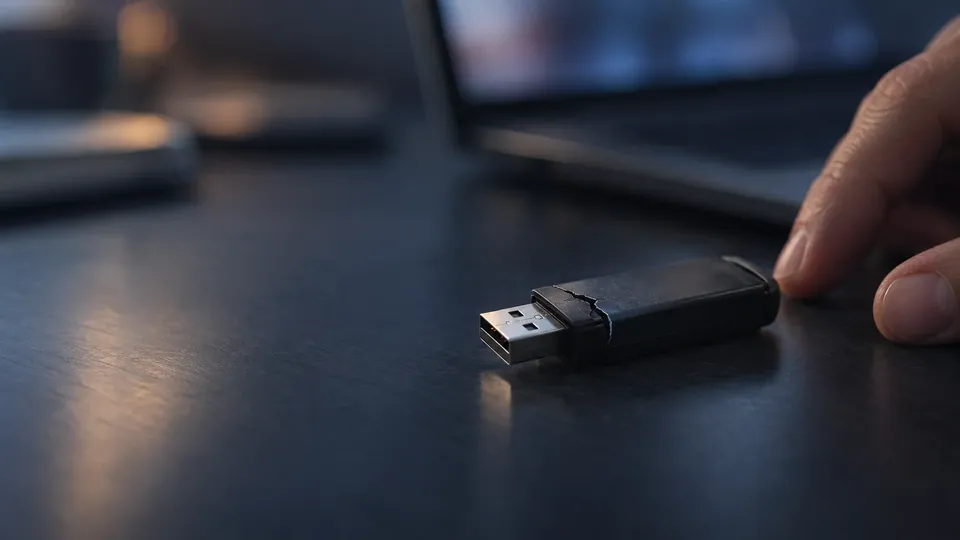
Retrieve data from a broken USB
How to Retrieve Data From a Damaged USB Stick (2026)
A USB stick that's snapped, bent, water-damaged, or simply not recognized can feel like it's taken your files with it. Often the data is still on the memory chip. Here's how to retrieve data from a damaged USB stick in 2026 — what's possible at home, what to avoid, and when to call a lab.
4.9 / 5915 Google reviews · Cleanroom lab (opens Google in a new tab)7 min read · Updated 2026-08-01
USB sticks are tiny, convenient, and fragile — which is exactly why they get snapped in pockets, bent in laptop ports, dropped in drinks, and put through the wash. When one is damaged and holds important files, it feels like a disaster. But here's the reassuring reality: in most cases, the data is still on the memory chip inside, and physical damage to the casing or connector doesn't destroy it. Retrieving it, though, requires the right approach — and the wrong one can finish off a recoverable drive. This guide explains how to retrieve data from a damaged USB stick in 2026.
From the engineers at CBL Data Recovery Singapore, who recover damaged USB sticks every week.
Guide
Understand the type of damage
USB stick problems split into two kinds, and knowing which you have is essential:
- Logical damage. The stick still plugs in and is detected, but shows as RAW, empty, or asks to be formatted. The data is intact behind a corrupted file system — often DIY-recoverable.
- Physical damage. The connector is snapped or bent, the casing is cracked, it's water-damaged, or no computer detects it at all. Software can't help here; the data is on the memory chip and needs chip-level lab recovery.
For logical damage, see our DIY flash drive recovery guide. This article focuses on physically damaged USB sticks — the harder, scarier cases where the data is usually still saveable.
Guide
What to do (and not do) with a damaged USB stick
Your first actions decide whether the data survives:
- Don't force a snapped or bent connector back into a port. A damaged connector can short the board or crack the memory chip. If the connector is broken, stop using it entirely.
- Don't power on a water-damaged stick. Plugging in a wet USB stick causes short circuits and corrosion. Let it dry completely, and if the data matters, don't power it at all — take it to a lab.
- Don't try to open it or "fix" it with glue or soldering unless you're skilled — you can easily destroy the memory chip that holds your data.
- Don't keep re-plugging a stick that isn't detected. Each attempt can further damage a failing controller.
- Do keep it safe and dry, and get it assessed if the files are important.
The instinct to keep trying is exactly what causes more damage. With a physically damaged stick, restraint protects your data.
Guide
Why the data is usually still there
A USB stick is essentially three parts: the connector, the controller chip, and the NAND memory chip where your data lives. Physical damage most often affects the connector or the board — not the memory chip itself. That means a snapped connector, a cracked casing, or a failed controller can make the stick unusable while your data sits perfectly intact on the NAND. Labs recover it by repairing the board or, in severe cases, reading the memory chip directly and reconstructing the data using knowledge of how that controller organised it — a process called chip-off with translation. It's specialist work, but it's why "broken" USB sticks are so often recoverable.
Guide
When home methods can help
If the damage is minor and the stick is still detected — a slightly loose connector that works when held just right, or a corrupted file system — you may be able to recover at home: connect it (gently, without forcing), and if it's detected, immediately copy your files off or run recovery software to a different drive. But if the connector is snapped, the stick is water-damaged, or nothing detects it, home methods won't work, and forcing them risks the data.
Forcing a damaged USB stick destroys data
The most common way people lose data from a damaged USB stick is by forcing a snapped connector into ports, powering a wet stick, or repeatedly re-plugging a dead one. Each attempt can crack the memory chip or short the board. If it's physically damaged, stop and get it assessed. See our USB flash drive recovery service.
Guide
When to call a lab
Call a lab when the USB stick is snapped, bent, or cracked, water-damaged, or not detected by any computer, or when the data is irreplaceable. Labs perform board-level repair and chip-level recovery — reading the raw memory and rebuilding the data — which no consumer software or home method can do. Because the memory chip usually survives physical damage, the data is typically still recoverable when handled correctly.
USB stick snapped or water-damaged?
CBL's cleanroom lab recovers data from broken, snapped and water-damaged USB sticks — free diagnosis, fixed quote before any work.
WhatsApp: +65 8127 7508
Call: +65 6588 0261
Guide
How to avoid damaging your USB stick
- Never store the only copy of important files on a USB stick — treat it as a courier, not a vault.
- Use a cap or retractable design and don't leave the stick sticking out of a port where it can be knocked.
- Eject safely before removing it, to avoid corruption.
- Keep it away from water, heat and physical stress, and carry it in a case.
- Back up, so a damaged stick is never a disaster. See our data backup tactics.
Guide
Frequently Asked Questions
Often, yes. Snapping usually damages the connector or board, not the memory chip where your data lives. A lab can repair the board or read the memory chip directly to recover the data. Don't force the snapped connector into ports.
Not necessarily. Don't power it on while wet — that causes short circuits and corrosion. Let it dry completely and, if the data matters, take it to a lab. The memory chip often survives, and the data with it.
Usually not — an undetected stick often has a failed controller or physical damage, needing chip-level recovery. Try it once in another port and computer; if still nothing, stop and consult a lab.
For minor issues (a loose connector that still works, or file-system corruption), maybe — copy your data off immediately. But don't attempt to open, glue, or solder a physically damaged stick unless skilled; you can destroy the memory chip.
If the data is important, yes — physically damaged USB sticks are frequently recoverable in a lab because the memory chip usually survives. Contact us for a free diagnosis before assuming it's lost.
What our clients say
Trusted by individuals and businesses in Singapore


Business Profile
Data Recovery – Rated by customers on Google
915Google reviews
4.9 out of 5
Updated 5 Nov 2026
“Thank you to the team at CBL for helping me recover all the contents from my faulty USB, which contained many precious family photos.”
Iris ShenUSB flash drive recovery · via Google “Great relief the engineers managed to recover all my data successfully from my damaged iPhone 14.”
Peter AndroidiPhone 14 recovery · via Google “Amazing service from CBL. They have restored all the data from my laptop. Sarah was very helpful and attentive to my queries.”
S YTLaptop recovery · via Google