

QTS · ext4 · Thick/Thin LVM · DeadBolt
QNAP NAS Recovery Singapore
QNAP volume crashed, thin volume offline, or hit by DeadBolt/Qlocker ransomware? We reconstruct QTS, ext4 and LVM volumes from the member disks. Don't reinitialise it. Free diagnosis.
4.9 / 5915 reviews · 20+ years · cleanroom lab (opens Google in a new tab)- QTS & LVM specialists
- DeadBolt / Qlocker
- Free diagnosis
- Fixed written quote
Quick answer
Yes — crashed QNAP volumes are usually recoverable, including QTS thick and thin LVM volumes on ext4 where drives have degraded, and many DeadBolt/Qlocker ransomware cases via unaffected data, snapshots and originals. We reconstruct the array and filesystem from the member disks. The critical rule: do NOT reinitialise, factory-reset or rebuild the volume in QTS, and don't pay a ransom blindly.
Overview
QNAP volume crashed? Your data is probably still there.

QNAP NAS units run QTS over RAID and LVM (often thin-provisioned) volumes on ext4. When QTS reports a crashed or unmounted volume — or a thin pool fails — the underlying data is usually intact and recoverable, but QTS will offer to "reinitialise" or "recover", which can overwrite what we need. QNAP has also been a repeated ransomware target (DeadBolt, Qlocker), where recovery focuses on unaffected copies and originals rather than decryption.
CBL reconstructs QTS/LVM and the ext4 filesystem directly from the member disks in our lab, so your shared folders and backups come back safely.
Before you touch QTS
Do not reinitialise, factory-reset or rebuild the volume in QTS — and don't pay a ransom blindly. If a drive failed, power the NAS down and label the bays. Then book a free diagnosis.
Critical
What NOT to do with a crashed QNAP
Reinitialise / factory reset
Wipes the volume configuration. The #1 cause of permanent loss.
QTS "recover" the volume
Can overwrite corrupt-but-recoverable LVM/ext4 structures.
Pay the ransom blindly
Payment doesn't guarantee recovery — get an assessment first.
Reorder the bays
Bay order matters — label the disks before removing them.
Avoid this
Five things that quietly destroy QNAP data
Almost every unrecoverable QNAP that reaches our bench was recoverable a few hours earlier. These are the actions that closed the door, and the mechanism behind each one.
- Inserting a fresh disk and letting QTS rebuild. A rebuild writes parity across every member. If the array was assembled in the wrong order, or a surviving member has bad sectors, it calculates wrong data and writes it permanently over good data. See RAID 5 failure recovery.
- Running a file-system check on the live volume. e2fsck and QTS's own repair option write corrections straight to the volume. When the LVM layer underneath is what is actually damaged, those corrections land at the wrong offsets and multiply the damage.
- Pulling every disk out to have a look. Bay order is part of the array definition. Once the disks are shuffled and unlabelled, the original order must be worked out by analysis — time that lands on your quote.
- Updating firmware to fix a fault. A QTS update rewrites the system partition mirrored across all members. If the volume was already unmountable, the update will not fix it; it only adds writes.
- Pointing desktop recovery software at the raw disks. Windows tools do not understand Linux md RAID or LVM. They see unformatted disks and offer to initialise them — one accepted prompt writes a fresh partition table over the array headers.
The common thread
Every item above writes to the disks. Power the unit down and let a lab image them first.
Diagnosis
Common QNAP failures
Volume crashed / unmounted
RAID or LVM fault takes the volume offline.
Thin volume / LVM pool fault
Thin-provisioned pool corruption after an update or power loss.
QTS corruption
Firmware/system-partition failure.
Ransomware (DeadBolt/Qlocker)
Files encrypted by a QNAP-targeting attack.
Warning signs, and what each one usually indicates
QNAP rarely fails silently. The difficulty is that the message on screen and the actual fault are often two different things.
- "Volume is not active" or "Volume crashed". QTS can see the disks but cannot mount the file system on them — usually a member has dropped out of the RAID group, or the LVM metadata mapping the volume onto the pool is damaged. The files themselves are normally untouched.
- Shares vanish but the web interface still loads. The QTS system partition is mirrored across every disk, so the appliance stays alive while the data volume does not. That is a good sign: the disks are still spinning and readable.
- Continuous beeping and a red status LED. A member has failed or been ejected. In a single-redundancy array you are now one failure from losing the volume outright, which is exactly why leaving it running is the risk.
- Boot loop. Usually a corrupt firmware image or a failing internal flash module rather than a data problem. The data disks are typically fine.
- Free space collapses and the volume flips to read-only. A thin-provisioned pool has run out of blocks to allocate and QTS has frozen it. Deleting files often does not release space, because the pool must reclaim it first.
- Clicking or grinding from one bay. Mechanical failure inside a member drive. That disk needs cleanroom work before it can be imaged.
Same problem, different words
QNAP data recovery, QTS volume recovery, NAS repair — what people actually mean
People search for this problem in half a dozen ways, and nearly all of them describe the same situation: a QNAP that will no longer hand over its files. If any of the phrases below match what you typed, you are in the right place.
"QNAP data recovery", "QNAP NAS recovery Singapore"
These are the same service. QNAP data recovery means extracting your shared folders from the member disks, whether the fault is a failed drive, a broken array, a damaged file system or corrupt firmware. The word "NAS" adds nothing technical — it only tells us the disks lived in a network appliance rather than a PC. What genuinely changes the work is the number of bays, the RAID level, and the volume layout underneath.
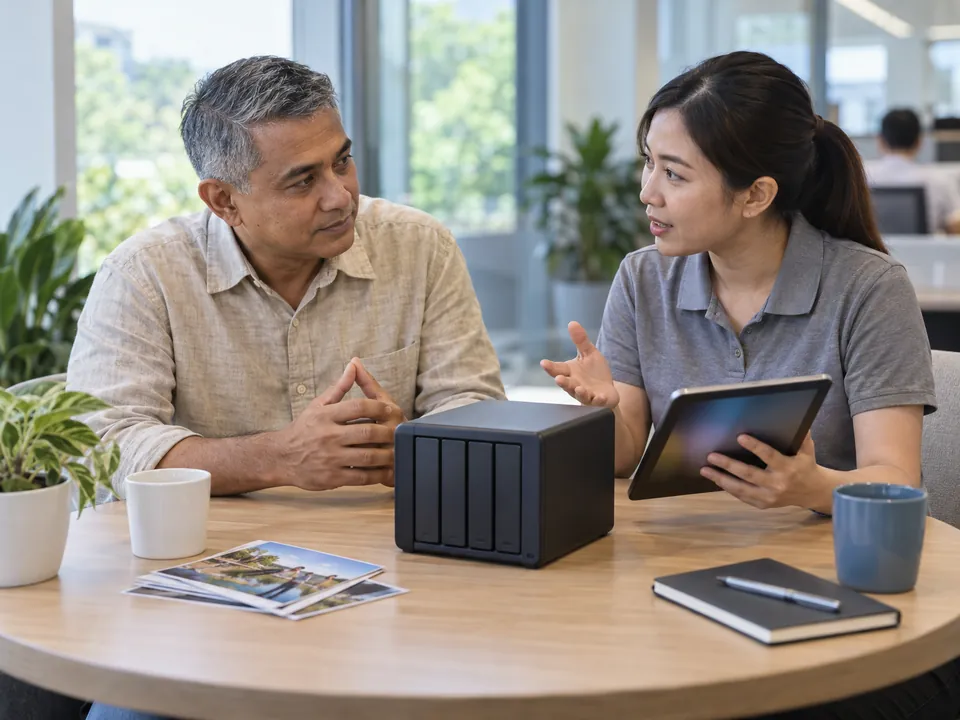
"QNAP repair" versus "QNAP recovery" — the distinction that matters
This is the confusion worth settling, because the two jobs pull in opposite directions.
- Repair puts the appliance back into service. Swapping a disk, letting QTS rebuild the array, reinstalling firmware. Every one of those steps writes to your disks.
- Recovery gets the data out. We never write to your disks. We image them, then reconstruct the array and file system from the copies, with your NAS switched off throughout.
An IT vendor asked to "fix the NAS" will reasonably reach for repair first, because that is the brief they were given. If the data is not backed up elsewhere, ask for recovery first and repair afterwards. Once a rebuild has run across a degraded array, some of what we would have used is already gone.
"QTS volume recovery", "volume is not active", "volume crashed"
These are QNAP's own words, straight from the Storage & Snapshots panel. QTS volume recovery is what people call the job of bringing a volume back after QTS marks it inactive, degraded or crashed. Confusingly, QTS also has its own button labelled "Recover" — not the same thing, and on a damaged thin pool it can write over the very structures a lab would use.
The words do not matter. The power switch does.
Whichever phrase brought you here, the most useful thing you can do now is leave the NAS powered off. A degraded array that keeps running can drop a second disk, and a damaged thin pool that keeps mounting can keep overwriting its own allocation map.
Coverage
QNAP models, QTS vs QuTS hero, and what each means for recovery
"QNAP" is a brand, not a single design. Two units on the same shelf can store data in completely different ways — and that, rather than the model number on the front, decides how the recovery runs.
Model families we see most often
- TS-series desktop units — TS-231, TS-431, TS-453, TS-673 and variants. Two to eight bays, QTS on ext4, and the most common unit on our bench.
- TVS and TVS-h units. Often fitted with SSD cache. If write caching was enabled, data that never reached the array may exist only on those SSDs, so send them in too.
- TS-h models running QuTS hero. ZFS instead of ext4, and a different reconstruction path entirely.
- Rackmounts and TL/TR expansion chassis. More members to image, and a volume spanning an expansion unit will not assemble without those disks.
QTS on ext4 versus QuTS hero on ZFS
A standard QTS unit stacks three layers: a Linux md RAID group, LVM above it, and an ext4 file system inside. Each can fail independently, and each is rebuilt separately from the disk images. Ext4 is well documented and forgiving, which is why logical outcomes on QTS are usually good. QuTS hero swaps LVM and ext4 for ZFS — stronger in normal service, but when a pool refuses to import there is no quick file-system repair. Recovery means parsing the pool structures directly: slower work, less predictable, and we say so up front. The login banner tells you which you have.
Storage pools, thick volumes and thin volumes
Most QNAP volumes live inside a storage pool. A thick volume reserves its capacity up front, so its blocks sit in predictable places. A thin volume allocates blocks only as data is written, so the map of where each block physically lives is itself a structure on the disks — damage that map and perfectly healthy drives, full of intact data, can still be unreadable. Thin volumes are the harder case, and we check that map before quoting rather than after. Static volumes skip the pool layer and are the simplest of the three. For other brands see NAS data recovery, or Synology recovery for how SHR and Btrfs differ.
Honest guidance
QNAP ransomware (DeadBolt / Qlocker)
QNAP has been targeted by ransomware strains like DeadBolt and Qlocker. We're honest about this: modern strong encryption generally can't be decrypted without the key. What we can often recover is data from snapshots, unaffected volumes, and pre-encryption originals. Isolate the NAS, don't pay blindly, and let us assess it. See ransomware data recovery.

DeadBolt and Qlocker are not the same attack
Qlocker did not encrypt files in the usual sense — it swept shared folders into password-protected 7-Zip archives and deleted the originals. Deleted originals can sometimes still be carved from the disks, so these cases are worth assessing. DeadBolt encrypted files in place and replaced the QTS login page with a ransom screen. Both reached the NAS through internet-exposed QNAP services, not through anyone opening an attachment.
What a QNAP ransomware case looks like in our lab
We do not decrypt, and we will not pretend otherwise. What we do is image every disk, then work through everything the attacker did not reach:
- QNAP snapshots — often the best outcome, because they sit outside the normal write path and are frequently untouched.
- Volumes and USB backup drives that were not mounted at the time of the attack.
- Pre-encryption remnants. Where the malware wrote new files and deleted the originals, those original blocks may still sit unallocated on the disks.
Sometimes that adds up to most of the data. Sometimes it is very little. You get the honest answer after the free diagnosis, not before it.
Do this first, before anything else
Disconnect the NAS from the network — but do not factory-reset it and do not run a malware-removal tool over the volume. Both write to the disks. Photograph the ransom screen and keep it; the strain matters to the assessment.
How it works
Our QNAP recovery process
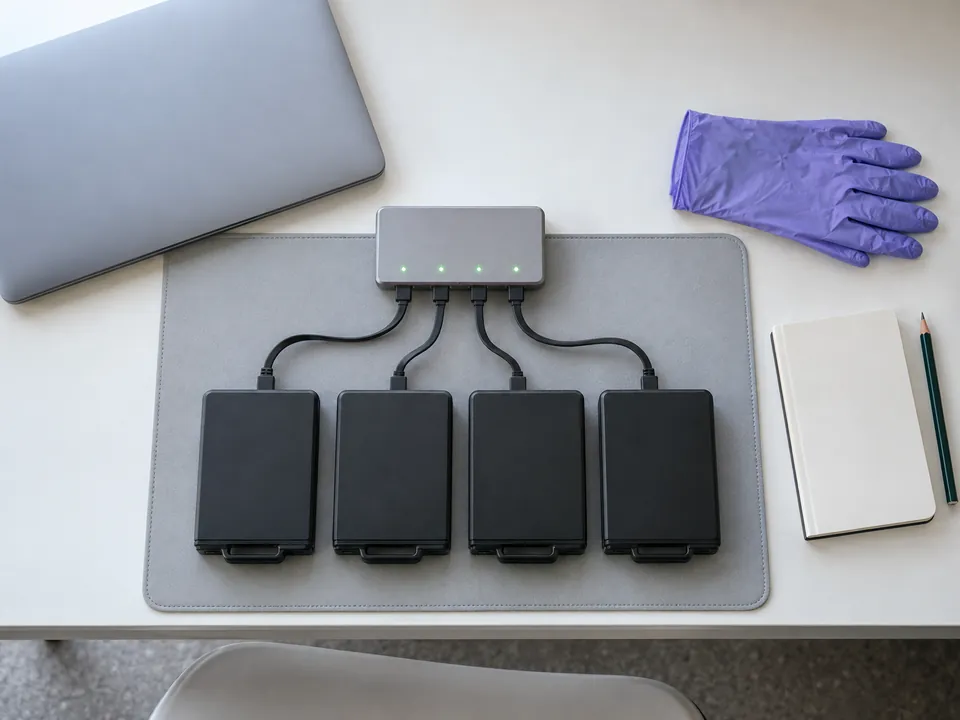
Step 1: Free diagnosis
We assess each disk, the RAID/LVM array and QTS, identify the fault, and confirm recoverability. No cost.
Step 2: Image every disk
We clone each drive individually — repairing any physically failed disk in the cleanroom — so the originals are never risked.
Step 3: Reconstruct QTS + LVM
We rebuild the RAID, the LVM thick/thin pool and the ext4 filesystem virtually from the images — no reliance on the failed NAS.
Step 4: Extract & verify
We mount the reconstructed volume, extract your shared folders (or unaffected/snapshot data for ransomware), and provide a list to verify.
Step 5: Secure return
Verified data returned confidentially under NDA.
See also NAS data recovery and Synology recovery.
Honest expectations
What we can recover — QNAP scenarios
| Scenario | Approach | Typical outcome |
|---|---|---|
| Volume crashed, RAID/LVM fault (not rebuilt) | QTS/LVM reconstruction | High |
| Thin-volume / LVM pool corruption | Thin-pool reconstruction | High |
| ext4 corruption | Filesystem repair from image | High |
| Ransomware (DeadBolt/Qlocker) | Snapshots / unaffected / originals | Case-by-case |
| Reinitialised / rebuilt NAS | Assessed individually | Reduced |
The honest comparison
CBL vs a reseller vs DIY software
Three routes people take with a dead QNAP. Here is what each one can actually do for you.
The honest summary: consumer software cannot see a QNAP array at all, because it does not speak md RAID or LVM. A reseller can swap hardware competently but works inside the NAS, where every action is a write. Read the longer argument in DIY vs professional data recovery.
Transparent pricing
How much does QNAP recovery cost?
| Case type | Examples | Indicative range (SGD) |
|---|---|---|
| Simple / single-volume | Single-bay NAS, accidental deletion, lost shares, no physical damage | $400 – $900 |
| Logical QNAP | Volume crash, LVM/ext4 corruption, no physical damage | $1,000 – $2,000 |
| QNAP + failed disk(s) | One or more disks need cleanroom repair | $1,600 – $3,200 |
| Ransomware / complex | DeadBolt/Qlocker, large arrays, priority | $1,500 – $4,000 |
Where a case lands depends on the number of bays, which file system is involved, and whether any disk needs cleanroom work. Anything in the top band is quoted individually after your free diagnosis — we will talk you through exactly what is driving the figure before you commit to anything.
Free diagnosis = free quote
Exact fixed price before work begins. Full detail: data recovery cost guide →
Recovery in the real world
QNAP recovery case studies
Representative examples from typical laboratory cases. Anonymised.
CBD · Media agency
QNAP thin volume offline after update
A QTS thin-provisioned volume dropped after a firmware update. We rebuilt the LVM thin pool and ext4 filesystem from images and restored the shared project drive.
Full recovery
Kallang · SME
DeadBolt ransomware
A QNAP was hit by DeadBolt. We recovered a large portion of the data from an unaffected volume and pre-encryption structures, under NDA.
Major recovery
Tai Seng · Studio
Volume crashed — two disks degraded
A QNAP RAID volume crashed after two disks degraded. We reconstructed the array and extracted the shared folders.
Recovered
Zero-risk guarantees
Free diagnosis & a fixed written quote
Free Diagnosis
We assess your QNAP and confirm recoverability — no cost.
Work Stays In-House
Recovered in our in-house Singapore lab — never shipped overseas.
NDA & Confidential
Business-grade confidentiality and NDAs.
Answers
QNAP recovery FAQ
In most cases yes — including QTS thick and thin LVM volumes on ext4 where drives have degraded. We reconstruct from the member disks. A free diagnosis confirms your case.
No. Reinitialising, factory-resetting or QTS "recover" can permanently overwrite recoverable data. Power it down, label the bays, and call us first.
Yes — we rebuild QTS thick and thin LVM pools and the ext4 filesystem from disk images.
Often, partially. Strong encryption generally can't be decrypted, but we recover from snapshots, unaffected volumes and pre-encryption originals. Isolate it and don't pay blindly. See ransomware recovery.
Usually just the disks, labelled in bay order, since we reconstruct the array in the lab.
Simple single-volume cases can start from around $400; typically $1,000–$2,000 for logical, $1,600–$3,200 with failed disks, and $1,500–$4,000 for ransomware/complex. Your free diagnosis gives an exact fixed quote.
It means QTS has given up trying to bring the volume online — either a member has dropped out of the RAID group, or the LVM metadata that maps the volume onto the storage pool is damaged. It is a mounting failure, not a data-loss event. Your files are normally still intact, which is why what you do next matters so much.
Yes, though it is different work. A ZFS pool is reconstructed by parsing the pool structures directly rather than by repairing a file system, so QuTS hero cases take longer and the outcome is less predictable than an ext4 volume. Surviving snapshots often help considerably.
Not necessarily, but it is worse. A rebuild writes parity across the members, so anything it overwrote is gone. What survives depends on how far it got and whether the array was assembled in the correct order. Power the unit down now and let us assess it — if there is nothing left, we will say so.
Diagnosis is same day to 24 hours. Most logical QTS volume recovery cases then run about three to seven working days, driven mainly by imaging time — a four-bay array of large drives is a great many sectors to copy safely. A physically failed member, a damaged thin pool or a ransomware assessment takes longer. Priority handling is available.
Yes — send everything. If write caching was enabled, the cache SSDs may hold data that never reached the array, and a volume spanning an expansion chassis will not assemble without those disks. Label every drive with its bay number and enclosure before removing anything.
What our clients say
Trusted by individuals and businesses in Singapore


Business Profile
QNAP NAS Data Recovery – Rated by customers on Google
915Google reviews
4.9 out of 5
Updated 5 Nov 2026
“Thank you to the team at CBL for helping me recover all the contents from my faulty USB, which contained many precious family photos.”
Iris ShenUSB flash drive recovery · via Google “Great relief the engineers managed to recover all my data successfully from my damaged iPhone 14.”
Peter AndroidiPhone 14 recovery · via Google “Amazing service from CBL. They have restored all the data from my laptop. Sarah was very helpful and attentive to my queries.”
S YTLaptop recovery · via Google

The bottom line
A crashed QNAP is recoverable far more often than QTS makes it seem — and even ransomware cases often have recoverable data. Power it down, don't reinitialise, don't pay blindly, and call CBL. With QTS/LVM expertise, honest ransomware assessment, NDAs, we give your QNAP its best chance.