

SHR · SHR-2 · Btrfs · ext4 · DSM
Synology NAS Recovery Singapore
Synology volume crashed or drives degraded? We reconstruct SHR, Btrfs and ext4 volumes from the member disks in our cleanroom lab. Don't reinitialise or repair it. Free diagnosis.
4.9 / 5915 reviews · 20+ years · cleanroom lab (opens Google in a new tab)- SHR & Btrfs specialists
- NDA for business
- Free diagnosis
- Fixed written quote
Quick answer
Yes — crashed Synology volumes are usually recoverable, including SHR and SHR-2 arrays with Btrfs or ext4 where one or more drives have degraded. We reconstruct the array and filesystem from the member disks — without relying on the failed NAS. The critical rule: do NOT reinitialise, factory-reset, repair or rebuild the volume in DSM — that's what turns a recoverable Synology into a lost one.
Overview
Synology "volume crashed"? Your data is probably still there.

Synology NAS units layer DSM over SHR (Synology Hybrid RAID) and an advanced filesystem — usually Btrfs, sometimes ext4. When DSM reports a "crashed volume" or a degraded array, the data underneath is typically intact and recoverable, but the DSM interface will offer to "repair" or "reinitialise" — actions that can overwrite what we need.
CBL reconstructs SHR/SHR-2 and the Btrfs/ext4 filesystem directly from the member disks in our lab, so your shared folders and backups come back safely.
Before you touch DSM
Do not reinitialise, factory-reset, rebuild or run "repair" in DSM. If a drive failed, power the NAS down and label the bays. Then book a free diagnosis.
Critical
What NOT to do with a crashed Synology
Reinitialise / factory reset
Wipes the SHR configuration and data map. The #1 cause of permanent loss.
DSM "repair" the volume
Can overwrite corrupt-but-recoverable Btrfs structures.
Rebuild onto a degraded disk
Overwrites parity needed for reconstruction.
Reorder the bays
Bay order matters — label the disks before removing them.

Why each of these destroys data
None of these actions look destructive in DSM. Every one of them writes to the member disks, and writing is the only thing that turns a recoverable Synology into a lost one.
- Reinitialise or factory reset. DSM writes fresh partition tables and new RAID superblocks to every disk in the chassis. The record of which slice of which disk belonged where in the array is overwritten in seconds. This is the single most common reason a case comes to us unrecoverable.
- "Repair" the volume onto a replacement disk. A repair starts a full resync that writes parity across the whole array. If a second member had already dropped out quietly, the resync calculates from incomplete data and writes wrong blocks over good ones — across the entire volume, not just the failed disk.
- Running btrfs check --repair or fsck by hand. These rewrite filesystem metadata trees in place. On a damaged Btrfs tree a wrong repair is permanent, and it happens on the original disks rather than on a copy.
- Expanding or migrating the pool after a fault. Synology Hybrid RAID expansion reshapes the array by physically relocating data across every member disk. Starting that on an array that is already unhealthy is the worst possible time.
- Leaving a clicking disk powered in its bay. DSM will keep retrying the failing member for hours. Each retry drags damaged heads across the platters and turns a straightforward head swap into partial data loss.
If the volume is degraded but still mounts, copy your critical folders off now — that window often closes without warning. If it has already crashed, power the unit down and book a free diagnosis.
Diagnosis
Common Synology failures
Degraded / crashed volume
One or two SHR disks fail, taking the volume offline.
Btrfs / ext4 corruption
Filesystem corruption after power loss.
DSM corruption / won't boot
DSM update or system-partition failure.
Deleted shared folder
Accidental deletion or failed migration.

Warning signs, and what each one usually indicates
A Synology rarely dies without notice. It signals for days or weeks first, usually in ways that are easy to dismiss.
- Long beeps and an amber status LED. A member disk has dropped out of the array. The volume is degraded, not dead — this is the best moment to act, because the data is still readable.
- A bay LED that has gone dark or turned orange. That disk is no longer seen by the controller. Note which bay it is and leave the disk in place until you have labelled it.
- Shared folders vanish, but DSM still logs in. The system partition is fine and the data volume has gone offline. Almost always a volume or filesystem problem, not a whole-unit failure.
- Copies start fast then stall at a few MB/s. One disk is struggling with bad sectors and the array is waiting on every read. Continuing to copy accelerates the failure.
- Storage Manager reports "Volume 1 crashed" or "Storage Pool degraded". Stop here. This is the screen where DSM offers to repair or reinitialise.
- The unit reboots repeatedly or never finishes booting. Often DSM or the system partition, which is mirrored across all disks and separate from your files.
- Clicking, buzzing or a rhythmic tick from one bay. Mechanical failure in that drive. Power the NAS down — this symptom worsens every minute the disk spins.
Same problem, different words
Synology data recovery, DiskStation recovery, SHR recovery — what people actually mean
People describe a failed Synology in a dozen different ways. Whether you searched for Synology data recovery, Synology NAS recovery Singapore, DiskStation recovery or SHR recovery, you are describing the same job: getting shared folders back off a set of member disks. The phrase you use changes nothing. What has already been done to the unit changes everything.
"Synology data recovery" or "Synology repair"?
These two pull in opposite directions, so it is worth knowing which you actually want. Repair means handing you back a working NAS. Recovery means handing you back your files. The fastest way to make a Synology work again is to reinitialise it and create a fresh volume — which is precisely the action that erases what we would otherwise read. We do the second job: image every member disk, rebuild the volume in the lab, and return the data on separate media you keep. If the unit still works afterwards, that is a bonus, not the objective.
"SHR recovery" and "RAID recovery" — the same job with an extra layer
Synology Hybrid RAID is not a new RAID level. Underneath, DSM cuts each disk into matched partition slices, builds standard Linux md RAID arrays across those slices — mirrored on two disks, parity-based on three or more — then joins the results with LVM so drives of different capacities can be mixed without wasting space. SHR-2 keeps two disks' worth of redundancy instead of one. So SHR recovery is RAID reconstruction plus that mapping layer, which is why generic RAID software — which assumes one uniform stripe running across whole disks — usually reads an SHR array as noise.
"Volume crashed", "degraded", "system partition failed"
DSM uses three warnings that sound equally serious and are not:
- Degraded. The pool has lost redundancy but still mounts. Your data is readable right now. Copy what matters off before anything else.
- Volume crashed. Too many members are missing, or the filesystem refused to mount, so the volume goes read-only or offline. Usually still recoverable — and this is exactly the screen where people reinitialise and lose it.
- System partition failed. DSM's own partition, mirrored across every disk, is separate from your data volume. Alarming to read, and on its own harmless to your files.
"DiskStation recovery", "RackStation recovery", "NAS server recovery"
Same lab work in all three cases. A DS-series DiskStation and an RS-series RackStation differ in bay count, expansion options and where they are mounted — not in how the data sits on the disks. For other brands see NAS data recovery, or QNAP recovery if your site runs both.
The one thing that genuinely matters
Not the words you use, but whether anything has written to the disks since the failure. A crashed volume that was powered down is a routine case. The same volume after a repair, a rebuild or an expansion is a different and much harder one.
Hardware we see
DiskStation, RackStation and the disks inside them
We work on the whole Synology range, from single-bay home units to rack-mounted arrays with expansion shelves. The model matters less than the layout it created — but a few hardware details change how a case is handled.
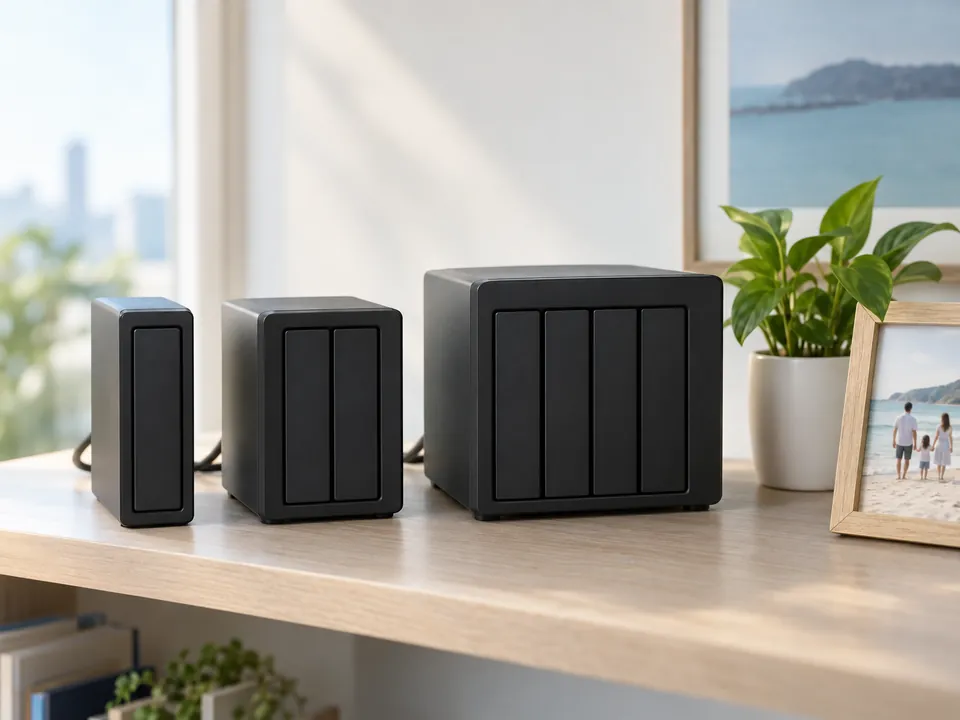
- Single-bay DiskStations (DS1xx families). No SHR, no parity — just a Btrfs or ext4 volume on one disk. If that disk has failed, this is a straight hard drive recovery, handled the same way as any external drive.
- Two-bay units (DS220j, DS220+, DS223 and similar). SHR on two disks is a mirror underneath. One healthy member is often enough to rebuild the whole volume, so send both disks even if one is obviously dead.
- Four-bay and larger (DS420+, DS920+, DS1621+, DS1821+). SHR here is parity-based across partition slices; SHR-2 tolerates two failures. Bay order and the full set of disks both matter for reconstruction.
- RackStation (RS-series) and expansion units (DX and RX shelves). A pool can span the main chassis and an attached shelf. If yours does, the volume is incomplete without the shelf disks — bring every disk, labelled by unit and bay.
- M.2 NVMe SSD cache. A read-only cache can be ignored. A read-write cache holds writes that were never flushed to the array, so if you ran one, bring the cache SSDs too.
- The drives themselves. WD Red and Red Plus, Seagate IronWolf, Toshiba N300 and Synology's own HAT-series are what we see most. SMR drives, where tracks overlap like roof tiles, are slower to image and are a common cause of rebuilds timing out mid-way.
Encrypted shared folders are recoverable, but only with the passphrase or the exported key file. Without one of those, nobody can help — not us, not Synology.
How it works
Our Synology recovery process
Step 1: Free diagnosis
We assess each disk and the SHR/Btrfs array, identify the fault, and confirm recoverability. No cost.
Step 2: Image every disk
We clone each drive individually — repairing any physically failed disk in the cleanroom — so the originals are never risked.
Step 3: Reconstruct SHR + Btrfs
We rebuild the SHR/SHR-2 layout and the Btrfs/ext4 filesystem virtually from the images — no reliance on the failed NAS.
Step 4: Extract & verify
We mount the reconstructed volume, extract your shared folders, and provide a list to verify.
Step 5: Secure return
Verified data returned confidentially under NDA.
See also NAS data recovery and QNAP recovery.
Honest expectations
What we can recover — Synology scenarios
| Scenario | Approach | Typical outcome |
|---|---|---|
| SHR/SHR-2, one/two disks degraded (not rebuilt) | SHR + Btrfs reconstruction | High |
| Crashed volume, Btrfs/ext4 corruption | Filesystem repair from image | High |
| DSM won't boot / system fault | Data recovery from data volume | High |
| Deleted shared folder | Structure recovery | Good |
| Reinitialised / rebuilt NAS | Assessed individually | Reduced |
Transparent pricing
How much does Synology recovery cost?
| Case type | Examples | Indicative range (SGD) |
|---|---|---|
| Simple / single-volume | Single-bay DiskStation, accidental deletion, lost shares, no physical damage | $400 – $900 |
| Logical Synology | Volume crash, Btrfs corruption, no physical damage | $1,000 – $2,000 |
| Synology + failed disk(s) | One or more disks need cleanroom repair | $1,600 – $3,200 |
| Large arrays | 4+ bays, encrypted volumes, priority | $2,800 – $4,000 |
Where a case lands depends on the number of bays, which file system is involved, and whether any disk needs cleanroom work. Anything in the top band is quoted individually after your free diagnosis — we will talk you through exactly what is driving the figure before you commit to anything.
Free diagnosis = free quote
Exact fixed price before work begins. Full detail: data recovery cost guide →
Recovery in the real world
Synology recovery case studies
Representative examples from typical laboratory cases. Anonymised.
Jurong · Manufacturing SME
SHR volume crashed — two disks degraded
A 4-bay Synology running SHR reported a crashed volume after two disks degraded. The owner nearly reinitialised it. We reconstructed the SHR/Btrfs array from the member disks.
98% recovered
CBD · Media agency
DSM wouldn't boot after update
A DSM update left the NAS unbootable. The data volume was intact; we recovered the shared project drive from the disks.
Full recovery
Tai Seng · Accounting firm
Deleted shared folder under NDA
A finance shared folder was deleted during a migration. We recovered the Btrfs structure and returned the records under NDA.
Records recovered
Recovery in the real world
Real Synology and NAS recoveries
From verified 5★ reviews on our Google Business Profile. Names as published on Google.
Synology NAS · 2-bay mirror
Both mirrored drives failed at the same time
A 2-drive Synology NAS, the drives mirroring each other as backup, holding photos of the owner's children. Both drives died at once — the situation a mirror is supposed to prevent.
TC Bun via Google
NAS · urgent
Guided through every step of an urgent case
An urgent NAS recovery. The team was described as extremely professional and patient, carefully guiding the owner through every step of the process.
Ooi Cuin Sie via Google
NAS · 3 TB
Quick recovery of a 3 TB NAS drive
A 3 TB NAS drive, recovered quickly and efficiently.
Recovered
Venkateshwaraiyer Baalaji via Google
From verified Google reviews
These are real reviews from our customers on Google (4.9★ from 915), shown as testimonials.
The honest comparison
CBL vs a reseller vs DIY NAS software
Three routes exist for a crashed Synology, and each suits a different situation. This is where each one honestly sits.
DIY tools are not useless — on a healthy array with an accidental deletion and a backup elsewhere, they are a reasonable first try. The problem is that they read the original disks directly, so on a degraded or physically failing array they consume the one chance you have. More on that in DIY vs professional recovery.
Zero-risk guarantees
Free diagnosis & a fixed written quote
Free Diagnosis
We assess your Synology and confirm recoverability — no cost.
Work Stays In-House
Recovered in our in-house Singapore lab — never shipped overseas.
NDA & Confidential
Business-grade confidentiality and NDAs.
Answers
Synology recovery FAQ
In most cases yes — including SHR/SHR-2 with Btrfs or ext4 where drives have degraded. We reconstruct from the member disks. A free diagnosis confirms your case.
No. Reinitialising, factory-resetting or DSM "repair" can permanently overwrite recoverable data. Power it down, label the bays, and call us first.
Yes — SHR and SHR-2 with Btrfs or ext4 are among our most common NAS recoveries.
Usually just the disks, labelled in bay order, since we reconstruct the array in the lab.
Often yes, provided you haven't rebuilt or reinitialised. We repair the failed disks in the cleanroom and reconstruct the array.
Simple single-volume cases start from around $400. Most logical Synology work lands at $1,000–$2,000, and $1,600–$3,200 when disks need cleanroom repair. Large or complex arrays run to about $4,000 at the top end. Your free diagnosis gives an exact fixed quote.
Degraded means the pool lost redundancy but still mounts — your files are readable right now, so copy the critical ones off immediately. Crashed means too many members are missing or the filesystem would not mount, so DSM takes the volume offline or read-only. Crashed volumes are usually still recoverable in the lab, provided nothing has been repaired or reinitialised since.
It changes the method, not the odds. Btrfs keeps checksummed metadata trees and multiple copies of its root, which often gives us a consistent earlier tree to rebuild from after a power loss. ext4 has journal and superblock backups we work from instead. Both are routine here. What matters far more is whether a repair or rebuild has already written over them.
It removes one shortcut, nothing more. Where Btrfs snapshots or Snapshot Replication were switched on, a deleted or encrypted-by-ransomware folder can sometimes be pulled straight from an earlier snapshot. Most of the Synology units we see never had them enabled, and reconstruction from the member disks does not depend on it. It is worth turning on once your data is back — and note that snapshots are not a backup, since they live on the same array.
Yes, if you still have the passphrase or the exported encryption key file. We recover the encrypted data and unlock it with your key. Without the passphrase or key the contents cannot be decrypted by anyone, including Synology — the encryption is doing exactly what it was designed to do. Tell us at diagnosis if any share was encrypted.
Not automatically, but be prepared for a partial result. A reinitialise overwrites the array configuration and the start of each disk; a completed rebuild can write incorrect parity across the volume. What often survives is the bulk of the file data itself, which we can carve and identify from the images. We assess these cases individually at the free diagnosis and tell you honestly what is left before you commit to anything.
Diagnosis is same day to 24 hours. After that, imaging is the slow part — every member disk is cloned in full, and large or unstable disks take longer. Straightforward logical cases are typically returned within a few working days; arrays with a physically failed disk needing cleanroom work take longer. You get a realistic timeframe with your fixed quote, not an optimistic one.
What our clients say
Trusted by individuals and businesses in Singapore


Business Profile
Synology NAS Data Recovery – Rated by customers on Google
915Google reviews
4.9 out of 5
Updated 5 Nov 2026
“Thank you to the team at CBL for helping me recover all the contents from my faulty USB, which contained many precious family photos.”
Iris ShenUSB flash drive recovery · via Google “Great relief the engineers managed to recover all my data successfully from my damaged iPhone 14.”
Peter AndroidiPhone 14 recovery · via Google “Amazing service from CBL. They have restored all the data from my laptop. Sarah was very helpful and attentive to my queries.”
S YTLaptop recovery · via Google

The bottom line
A crashed Synology is recoverable far more often than DSM makes it seem — but only if the first response is right. Power it down, don't reinitialise, label the bays, and call CBL. With SHR/Btrfs expertise and NDAs, we give your Synology its best chance.