

Free tools to recover Android data
7 Best Free Android Data Recovery Software in 2026 (Tested)
Lost photos, WhatsApp messages or files on your Android phone? These 7 free data-recovery tools are the ones worth trying in 2026 — with an honest look at what free software can and can't do before you pay anyone.
4.9 / 5915 Google reviews · Cleanroom lab (opens Google in a new tab)7 min read · Updated 2026-08-01
Losing photos, messages or files on an Android phone is stressful — but before you pay for anything, it's worth knowing which free tools can genuinely help, and which are just trial versions that ask for money the moment they find your files. This guide from CBL Data Recovery Singapore ranks the seven best free Android data-recovery options for 2026, explains what each realistically recovers, and — just as importantly — where free software hits a wall and a lab becomes the smarter choice.
Guide
Before you install anything: two rules
Free recovery tools can help, but only if you don't sabotage your own chances first. Two rules matter more than any app you choose:
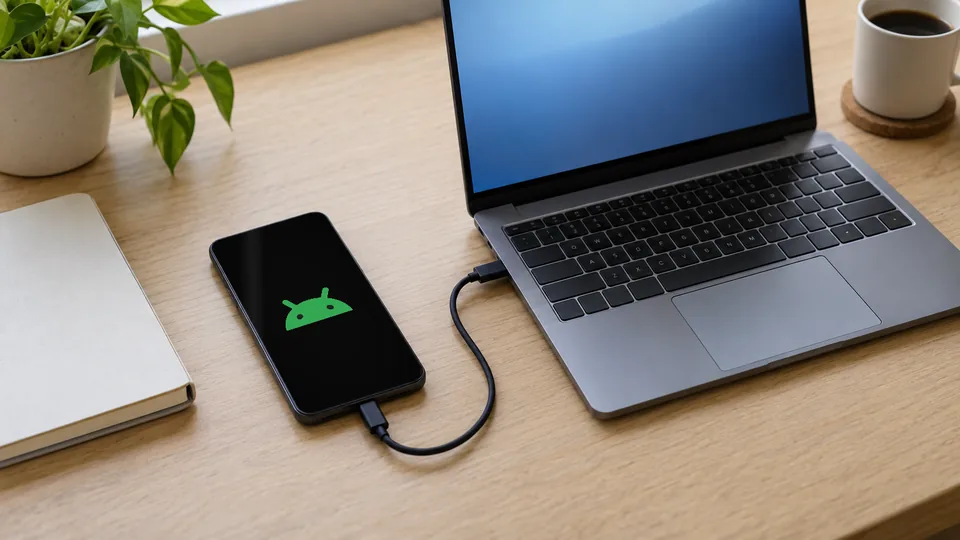
- Stop using the phone immediately. When a file is deleted, the space it used is marked free and gets overwritten as you take photos, install apps or receive messages. The longer you keep using the phone, the less there is to recover.
- Recover to a different location. Never save recovered files back onto the same phone or SD card you're scanning — that can overwrite the very data you're trying to save.
Guide
The 7 best free Android data recovery tools
1. Google Photos & Google One backup — start here. Not a "recovery tool" in the classic sense, but the first place to look. Deleted photos sit in Google Photos' Trash for 60 days, and if Google One backup was on, contacts, messages and app data may be restorable too. Free, official, and it solves most cases instantly.
2. Recuva (for SD cards) — best for memory cards. If your Android photos were on a microSD card, pop it into a PC with a card reader and scan it with Recuva. It's free, reliable, and cards are far more recoverable than phone internal storage. Recover to your computer, not back to the card.
3. Disk Drill (free tier) — best interface. Disk Drill's free version scans connected drives and SD cards and previews recoverable files before you commit. The free tier has recovery caps, but for a memory card it's one of the friendliest tools available.
4. PhotoRec — most powerful, free and open-source. PhotoRec is a completely free, open-source engine that recovers hundreds of file types from SD cards and USB storage. It's plain-looking but extremely capable — the same technology many paid tools are built on. Ideal for cards and external media.
5. Tenorshare / Dr.Fone / EaseUS MobiSaver — free scans, paid recovery. These popular Android tools offer a free scan and preview so you can see what's recoverable, but charge to actually export the files. Useful to confirm your data is still there before deciding whether to pay.
6. Undeleter / DiskDigger (Android app) — for rooted phones. DiskDigger can scan an Android device directly. On a non-rooted phone it mostly recovers cached thumbnails; a full scan of internal storage needs root access, which carries its own risks. Handy for quick photo-cache recovery without a PC.
7. Your device backups (Samsung, Xiaomi, etc.) — the free win everyone forgets. Samsung Cloud, Mi Cloud and manufacturer backup apps often hold a recent copy of your photos, contacts and messages. Check these before assuming your data is gone — it's the easiest free recovery there is.
Guide
Quick comparison
| Tool | Best for | Free recovery? | Needs a PC? |
|---|---|---|---|
| Google Photos / One | Deleted photos & backups | Yes | No |
| Recuva | SD card recovery | Yes | Yes |
| Disk Drill | Easy card scanning | Limited | Yes |
| PhotoRec | Powerful card/USB recovery | Yes | Yes |
| Tenorshare / Dr.Fone | Preview before paying | Scan only | Yes |
| DiskDigger | On-phone photo cache | Yes (limited) | No |
| Samsung / Mi Cloud | Manufacturer backups | Yes | No |
Guide
The honest limits of free Android recovery
Free tools are great for the easy wins — a card you can scan, a backup you forgot about, photos still in the Trash. But there are hard limits worth understanding before you spend hours (or your last recovery chance) on DIY software:

- Internal phone storage is largely off-limits without root. Unlike an SD card, a phone's internal storage can't be scanned block-by-block unless the device is rooted — and rooting a phone to recover data can itself overwrite data or brick the device.
- Modern Android encrypts everything. Like iPhones, current Android phones use full-device encryption and TRIM, which actively wipes deleted blocks. Truly-deleted files on a healthy modern phone are often unrecoverable by any software.
- Software can't fix hardware. If the phone is dead, water-damaged, or the storage chip has failed, no app can help — the data has to be reached physically. That's lab work.
When to stop using free software
If your phone is physically damaged, won't turn on, or the files are irreplaceable, don't keep running scan-after-scan or attempt rooting. Each attempt can reduce what's recoverable. This is the point to talk to a lab. See our Android and mobile phone data recovery service.
Guide
When a professional lab is the smarter choice
There's no shame in DIY for a simple case — but for a damaged phone or genuinely important data, a lab is often cheaper in the end, because a failed DIY attempt can make professional recovery impossible.
Tried the free tools with no luck?
CBL's cleanroom lab recovers data from dead, water-damaged and failed Android phones and SD cards — free diagnosis, fixed quote, and you approve the price before any work.
WhatsApp: +65 8127 7508
Call: +65 6588 0261
Android is a trademark of Google LLC. The Android robot is reproduced or modified from work created and shared by Google and used according to terms described in the Creative Commons 3.0 Attribution License. Not affiliated with Google.
Guide
Frequently Asked Questions
For SD cards, PhotoRec and Recuva are the most capable free tools. For phone internal storage, your best free options are Google Photos, Google One and manufacturer backups (Samsung Cloud, Mi Cloud) rather than a scanning app.
Sometimes — check Google Photos Trash (60 days) and your manufacturer's cloud first. On-phone apps like DiskDigger can recover cached thumbnails without root, but full recovery of internal storage generally needs a PC or root access.
The reputable tools listed here are safe, but only download from official sites — "free recovery" searches surface a lot of malware. And never install the software onto the same storage you're trying to recover.
Many "free" Android tools give a free scan and preview but charge to export. That preview is still useful — it confirms your data is recoverable before you decide whether to pay or use a lab.
Not necessarily. Free tools can't read encrypted internal storage or damaged hardware. If the data matters, a lab can often reach it physically — contact us for a free diagnosis before giving up.
What our clients say
Trusted by individuals and businesses in Singapore


Business Profile
Data Recovery – Rated by customers on Google
915Google reviews
4.9 out of 5
Updated 5 Nov 2026
“Thank you to the team at CBL for helping me recover all the contents from my faulty USB, which contained many precious family photos.”
Iris ShenUSB flash drive recovery · via Google “Great relief the engineers managed to recover all my data successfully from my damaged iPhone 14.”
Peter AndroidiPhone 14 recovery · via Google “Amazing service from CBL. They have restored all the data from my laptop. Sarah was very helpful and attentive to my queries.”
S YTLaptop recovery · via Google