
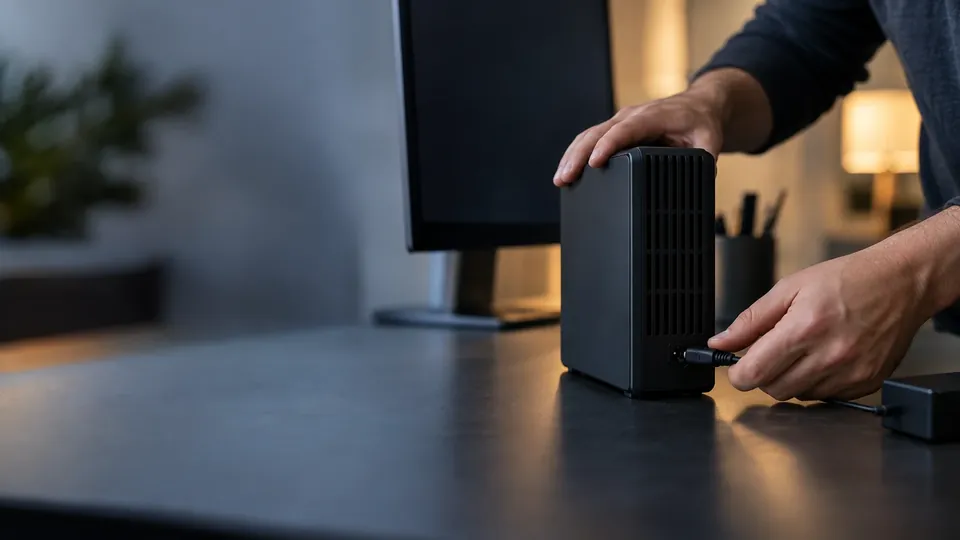
WD drive not showing up?
WD Hard Drive Not Recognized? How to Recover Your Data (2026)
Your Western Digital drive isn't showing up — no drive letter, no beep, nothing. Before you panic, know that an unrecognized WD drive very often still holds all your data. Here's how to recover it safely in 2026, step by step, and when to call a lab.
4.9 / 5915 Google reviews · Cleanroom lab (opens Google in a new tab)7 min read · Updated 2026-08-01
You plug in your Western Digital drive — a My Passport, Elements, or internal WD Blue or Red — and nothing happens. No drive letter, no notification, maybe not even a spin-up. It's a heart-stopping moment when that drive holds your only copy of important files. But here's the reassuring truth: an unrecognized WD drive very often still contains all your data. The drive not showing up is frequently a fixable connection, controller or file-system issue rather than lost data. This guide explains how to recover an unrecognized WD hard drive safely in 2026.
From the engineers at CBL Data Recovery Singapore, who recover Western Digital drives every week.
Guide
Why a WD drive isn't recognized
There are several reasons a WD drive stops being detected, ranging from trivial to serious:
- Cable, port or power issues — a faulty USB cable, a dead port, or (for desktop drives) insufficient power. The most common and easily fixed cause.
- Failed USB bridge / controller — WD external drives use a USB-to-SATA bridge board; if it fails, the drive won't be detected even though the disk inside is fine.
- File-system corruption — the drive is detected at a low level but shows as RAW or without a partition, so it doesn't mount normally.
- Mechanical failure — a clicking or silent drive with a head or motor fault.
- Hardware encryption — many WD My Passport drives encrypt data on the bridge board, which matters for how recovery is approached.
The key is to work from the simple causes to the serious ones, stopping if signs of physical failure appear.
Guide
Step-by-step: recovering an unrecognized WD drive
1. Try a different cable, port and computer. This resolves a large share of "not recognized" cases. Use a known-good cable (ideally the original), try every port, and test on another computer. For desktop/external drives, ensure the power adapter is working.
2. Check Disk Management (Windows) or Disk Utility (Mac). Even if the drive doesn't get a letter, it may appear here. If it shows but has no drive letter, assigning one can make it accessible. If it shows as RAW or unallocated, that's file-system corruption — recover before repairing, and don't initialise or format it.
3. Listen to the drive. Does it spin up quietly? A silent or clicking drive suggests a mechanical or power fault — stop and treat it as physical failure. A drive that spins normally but isn't detected often has a bridge or file-system issue.
4. For external drives, consider the USB bridge. If a WD external drive isn't detected but the disk inside is healthy, the bridge board may have failed. Labs can address this — but note that on hardware-encrypted WD drives, the disk can't simply be removed and read on another machine, because the encryption lives on the bridge.
5. Recover with software (logical cases). If the drive is detected but shows as RAW or won't mount, run recovery software (Recuva, Disk Drill, PhotoRec, TestDisk) to scan it read-only and recover files to a different drive. Don't format it first.
Guide
The mistake to avoid
When Windows detects a drive at a low level but can't read it, it often prompts you to initialise the disk or format it. Do not do either if you want your data. Initialising writes a fresh, empty structure; formatting builds an empty file system over your files. Both drastically reduce recovery chances. If your WD drive shows as uninitialised or RAW, decline those prompts and recover the data first.
A silent or clicking WD drive is physical failure
If the drive doesn't spin, clicks, or beeps, it has a mechanical or electronic fault. Running software or repeatedly re-plugging it won't help and can worsen the damage. Stop and get it assessed. See our WD hard drive recovery service.
Guide
When to call a lab
Call a lab when the WD drive is silent, clicking, or not spinning, when a failed USB bridge on a hardware-encrypted drive blocks access, when the drive is physically damaged, or when the data is irreplaceable. Labs repair bridge boards, handle WD hardware encryption, and perform cleanroom recovery on mechanically failed drives — none of which DIY can do. Because forcing a failing drive can destroy it, stopping early protects your data.
WD drive not recognized and data trapped?
CBL's cleanroom lab recovers data from unrecognized, clicking and failed Western Digital drives — free diagnosis, fixed quote before any work.
WhatsApp: +65 8127 7508
Call: +65 6588 0261
Guide
How to avoid it happening again
- Eject WD drives safely before unplugging, to avoid corruption.
- Use quality cables and avoid unpowered hubs for drives that need more power.
- Handle external drives gently — they're portable, so they get knocked; a bump while spinning can cause a head crash.
- Keep a backup. A WD drive that suddenly isn't recognized is far less stressful when its contents live elsewhere too. See our data backup tactics.
Guide
Understanding WD drive types and recovery
Western Digital makes a wide range of drives, and the type affects how recovery is approached. Knowing which you have helps you understand your options:
- WD external portables (My Passport, Elements). These pair a standard 2.5" drive with a USB bridge board. My Passport models often encrypt data on the bridge, which is crucial: if the bridge fails, you can't just remove the disk and read it elsewhere — the encryption has to be handled. Elements drives are usually not hardware-encrypted, making bridge-failure recovery more direct.
- WD internal drives (Blue, Black, Red, Gold). Standard SATA drives that can be removed and read on another computer if the disk is healthy. WD Red (NAS) and Gold (enterprise) drives often live in RAID arrays, so recovery may involve array reconstruction.
- WD SSDs (Blue/Black NVMe, SanDisk-branded). As with all SSDs, TRIM and (in some models) encryption make deleted-data recovery harder, and a failed controller needs chip-level work.
For any of these, the recovery principle is the same: if the drive is detected and the problem is logical, software may retrieve the data; if it's silent, clicking, or the bridge has failed, it's a lab job. What changes between models is the method — bridge repair, encryption handling, cleanroom work, or chip-off — not whether recovery is possible. In most unrecognized-WD cases we see, the data is still intact and recoverable once the right approach is applied.
Guide
Frequently Asked Questions
Common causes are a faulty cable or port, a failed USB bridge board (on externals), file-system corruption, or mechanical failure. Try a different cable, port and computer first; if it's silent or clicking, it's likely a physical fault.
Assigning a drive letter often makes it accessible. If it shows as RAW or unallocated, that's corruption — recover your data with software before repairing, and don't initialise or format it.
If the disk inside is healthy but the USB bridge failed, a lab can recover it — but because My Passport drives often encrypt on the bridge, you generally can't just remove the disk and read it elsewhere. Don't force it; get a diagnosis.
No, not if you want the data. Both create an empty structure over your files. Decline and recover the data first with software or a lab.
Often, yes, in a cleanroom lab — provided you stop using it. Clicking means mechanical failure, and continued use lowers the odds. Contact us for a free diagnosis.
What our clients say
Trusted by individuals and businesses in Singapore


Business Profile
Data Recovery – Rated by customers on Google
915Google reviews
4.9 out of 5
Updated 5 Nov 2026
“Thank you to the team at CBL for helping me recover all the contents from my faulty USB, which contained many precious family photos.”
Iris ShenUSB flash drive recovery · via Google “Great relief the engineers managed to recover all my data successfully from my damaged iPhone 14.”
Peter AndroidiPhone 14 recovery · via Google “Amazing service from CBL. They have restored all the data from my laptop. Sarah was very helpful and attentive to my queries.”
S YTLaptop recovery · via Google