
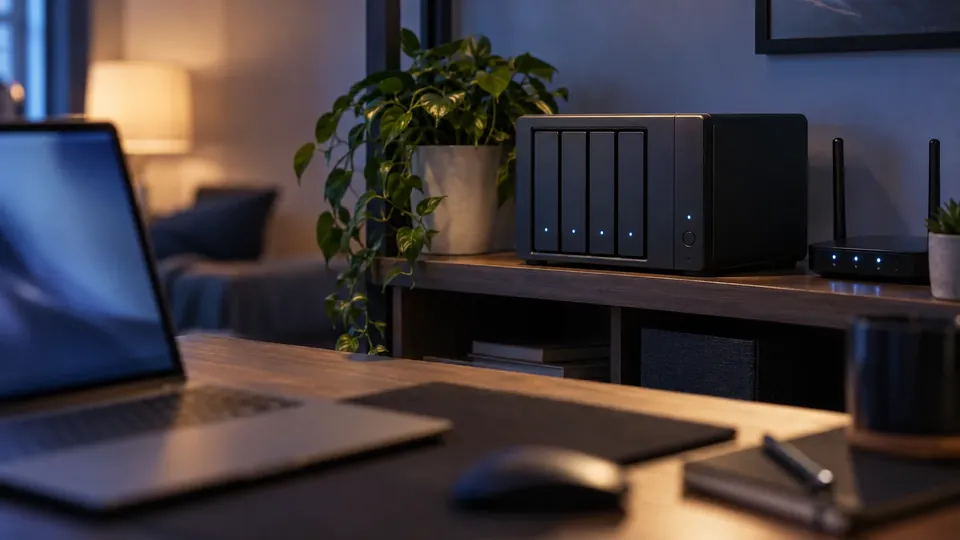
Recover data from a failed NAS
10 Best NAS Data Recovery Software in 2026 (Synology, QNAP & More)
A failed NAS or crashed RAID array can lock away terabytes of irreplaceable data. These are the 10 best NAS data recovery software tools for 2026 — for Synology, QNAP and DIY builds — plus an honest look at when NAS recovery is beyond software's reach.
4.9 / 5915 Google reviews · Cleanroom lab (opens Google in a new tab)7 min read · Updated 2026-08-01
A NAS is where households and businesses keep their most important data — photos, backups, projects, entire company file shares. So when a NAS fails, a RAID array degrades, or a volume won't mount, the stakes are high: potentially terabytes of irreplaceable data locked away. Before you touch anything, it's vital to know which NAS data recovery software can genuinely help — and, just as importantly, where DIY becomes dangerous.
This guide from the engineers at CBL Data Recovery Singapore ranks the 10 best NAS and RAID data recovery tools for 2026 — for Synology, QNAP and DIY builds — and explains when the safest move is a professional lab.
Guide
Why NAS recovery is different (and riskier)
Recovering a single drive is one thing; recovering a NAS is another entirely. NAS units combine multiple disks in a RAID array, often using specialised file systems (Btrfs on Synology, ext4, or ZFS) and proprietary volume managers. To rebuild your data, software must correctly reassemble the RAID — the right disk order, stripe size and parity — and then read an unusual file system. Get any parameter wrong, or write to the wrong disk, and you can turn a recoverable situation into a permanent loss.
That's why the single most important rule is: if a NAS drive has failed, do not rebuild or resync the array, and do not initialise or reformat anything. A rushed rebuild onto a failing disk is the most common way we see NAS data destroyed.
Guide
The 10 best NAS data recovery tools
1. R-Studio — best all-round for NAS and RAID. Powerful and widely used by professionals, R-Studio reconstructs RAID arrays, supports Linux/NAS file systems (ext, Btrfs, XFS), and can recover from disk images. Technical, but excellent for complex NAS cases in capable hands.
2. Linux mdadm + LVM (manual array reassembly) — best for advanced Synology and QNAP arrays. Synology and QNAP build their volumes on Linux software RAID with LVM on top, so a degraded array can often be assembled read-only on a Linux machine and the data copied off before any rebuild is attempted. Free, but it assumes you are comfortable on the command line.
3. ReclaiMe (with ReclaiMe Free RAID Recovery) — best for automatic RAID parameter detection. ReclaiMe is beginner-friendlier than most, and its free companion tool auto-detects RAID parameters (order, stripe size), which is often the hardest part of NAS recovery.
4. DiskInternals RAID Recovery — best guided RAID rebuild. A more approachable interface that walks you through reconstructing common RAID levels and reading the resulting volume, with previews before recovery.
5. Synology / QNAP built-in tools & snapshots — check these first. Before third-party software, check your NAS's own recovery features: snapshots (Btrfs snapshots on Synology, or QNAP snapshots) can restore deleted or changed files instantly, and both vendors offer recovery guidance for degraded volumes.
6. Stellar Data Recovery Technician — best commercial all-in-one. A polished commercial tool that handles RAID 0/5/6 reconstruction and recovery from NAS drives, with a friendlier experience than the deeply technical options.
7. TestDisk & PhotoRec — best free option. Free and open-source: TestDisk can repair partitions and PhotoRec recovers files by signature from NAS member disks or images. Not RAID-aware on their own, but valuable free tools in the right workflow.
8. Runtime GetDataBack / RAID Reconstructor — best for classic RAID rebuilds. Long-standing tools specifically for reconstructing RAID arrays and then recovering files, well regarded for standard RAID 5 setups.
9. DiskDrill — best for single-disk NAS or simple cases. Approachable and good for a single-drive NAS or a member disk, though less suited to complex multi-disk RAID reconstruction than the specialist tools.
10. Disk imaging tools (ddrescue) — the essential first step. Not recovery software as such, but critical: imaging each NAS disk with a tool like ddrescue before attempting anything means you work on copies, never the originals — the single best way to avoid making a bad situation worse.
Guide
The safe DIY workflow (if you attempt it)
If you're technical and the data isn't mission-critical, this is the only responsible order:
- Power down the NAS and label each drive with its bay number before removing them.
- Image every disk to separate storage with ddrescue — never work on the originals.
- Reconstruct the RAID virtually from the images using ReclaiMe or R-Studio, letting the tool detect parameters.
- Recover files to a different drive, then verify they open.
At no point should you resync, rebuild, or reformat the live array. If any disk is clicking or unreadable, stop — imaging a failing drive is itself a job for specialist equipment.
Guide
The honest limits of DIY NAS recovery
We'd rather be straight with you:
- Multiple failed disks (e.g. two dead drives in a RAID 5) put the data beyond what software alone can rebuild — it needs disk-level repair first.
- A clicking or unreadable member disk can't be imaged safely with normal tools; forcing it worsens the damage.
- Encrypted volumes (Synology/QNAP encryption) need the correct keys or passphrase — without them, the data can't be decrypted.
- One wrong write to the array — a rebuild, an initialise, a reformat — can overwrite the very data you're trying to save.
When to stop and call a lab
If a disk is clicking, more than one drive has failed, the volume is encrypted, or the data is business-critical, DIY is high-risk. Every failed attempt can make professional recovery harder. See our NAS data recovery and RAID data recovery services.
Guide
When a professional lab is the right call
For a failed multi-disk array, a clicking NAS drive, an encrypted volume, or irreplaceable business data, a professional lab is the safer choice. Labs image failing disks with specialist hardware, reconstruct the array correctly, and handle the proprietary file systems — the exact skills DIY tools can't provide.
NAS failed or RAID array crashed?
CBL's cleanroom lab recovers data from failed Synology, QNAP and custom NAS/RAID systems — free diagnosis, fixed quote before any work.
WhatsApp: +65 8127 7508
Call: +65 6588 0261
Guide
How to protect your NAS data in the first place
A NAS is a convenience, not a backup — and treating it as one is how people lose data despite having "redundancy." Protect yourself:
- RAID is not a backup. RAID protects against a single disk failing, but it does nothing against accidental deletion, ransomware, fire, theft, or a controller failure that takes down the whole unit. Every NAS still needs a separate backup.
- Follow the 3-2-1 rule. Keep another copy of critical data off the NAS — ideally offsite or in the cloud. See our data backup tactics.
- Enable snapshots. Synology (Btrfs) and QNAP snapshots let you roll back deleted or ransomware-encrypted files instantly, with minimal storage cost. Turn them on today.
- Monitor drive health. NAS units report SMART data per disk — enable email alerts so you learn about a failing drive before it takes down the array, and replace it on your schedule, not the array's.
- Use a UPS. A power cut mid-write can corrupt a NAS volume. A small UPS lets the NAS shut down cleanly.
- Replace drives proactively. Don't run disks until they die. In a multi-year-old array, ageing all at once is a real risk — stagger replacements before failures cascade.
Do these and a single disk failure becomes a routine swap rather than an emergency — and even a total NAS loss is just a restore from your separate backup.
Guide
Frequently Asked Questions
For complex RAID and Btrfs/ext volumes, R-Studio is the most capable, with ReclaiMe excellent for auto-detecting RAID parameters. Always check your NAS's own snapshots first — they're often the fastest fix.
Sometimes, if only one disk failed and none are clicking. Image every disk first, reconstruct the array virtually, and never resync or reformat the live array. If two or more disks failed, or any is unreadable, it's a lab job.
Not before securing your data. Rebuilding stresses the remaining disks and can trigger a second failure that loses everything. Back up or image first, or consult a lab.
TestDisk and PhotoRec are useful free tools, and ReclaiMe Free RAID Recovery is excellent for detecting RAID parameters. But most full NAS recoveries need the paid, RAID-aware tools or a lab.
Possibly, but not by software alone — the failed disks usually need physical repair and imaging first. Contact us for a free diagnosis before attempting anything.
What our clients say
Trusted by individuals and businesses in Singapore


Business Profile
Data Recovery – Rated by customers on Google
915Google reviews
4.9 out of 5
Updated 5 Nov 2026
“Thank you to the team at CBL for helping me recover all the contents from my faulty USB, which contained many precious family photos.”
Iris ShenUSB flash drive recovery · via Google “Great relief the engineers managed to recover all my data successfully from my damaged iPhone 14.”
Peter AndroidiPhone 14 recovery · via Google “Amazing service from CBL. They have restored all the data from my laptop. Sarah was very helpful and attentive to my queries.”
S YTLaptop recovery · via Google