
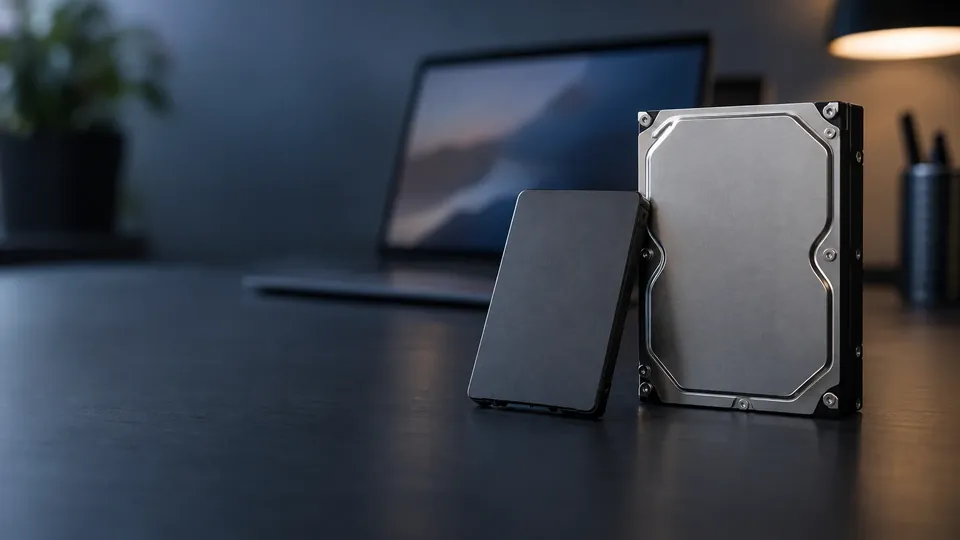
HDD vs SSD, decided
HDD vs SSD: Which Storage Should You Choose in 2026?
HDD or SSD? It's the storage question everyone asks, and the answer isn't always "just get an SSD." Here's an honest HDD vs SSD comparison for 2026 — speed, price, reliability, lifespan, and what each means for data recovery — to help you choose the right one.
4.9 / 5915 Google reviews · Cleanroom lab (opens Google in a new tab)7 min read · Updated 2026-08-01
"Should I get an HDD or an SSD?" is one of the most common tech questions — and while SSDs get all the hype, the honest answer isn't always "just get an SSD." Each has real strengths, and the right choice depends on what you're storing and why. As a data recovery lab, we also see a side most comparisons ignore: what each means when things go wrong. This guide gives you an honest HDD vs SSD comparison for 2026 — speed, price, reliability, lifespan, and data recovery — so you can choose the right storage.
From the engineers at CBL Data Recovery Singapore, who recover data from both every day.
Guide
The quick answer
For most people's main drive — the one their operating system and everyday files live on — an SSD is the clear choice: it's dramatically faster, more shock-resistant, and makes a computer feel new. For bulk storage and archives — large media libraries, backups, data you keep but rarely touch — an HDD still wins on cost per terabyte. Many people are best served by both: an SSD for the system and active files, an HDD for mass storage and backups. Now the details behind that.
Guide
Speed
No contest — SSDs are far faster. With no moving parts, they access data almost instantly, boot systems in seconds, and load applications and files many times faster than a hard drive. HDDs, with spinning platters and moving heads, are limited by mechanical speed. If responsiveness matters — and for a system drive it always does — SSD wins decisively.
Guide
Price and capacity
HDDs win on cost per terabyte. Hard drives remain much cheaper for large capacities, which is why they dominate bulk storage, NAS units, and backup drives. SSD prices keep falling, but for storing many terabytes of media or archives affordably, HDDs are still the value choice. If you need lots of space on a budget, HDD; if you need speed and can pay more per terabyte, SSD.
Guide
Reliability and durability
This one's nuanced. SSDs are more shock-resistant — no moving parts means a drop that would crash an HDD's heads often leaves an SSD unharmed, making them ideal for laptops. But SSDs aren't invincible: their memory cells wear out with writes, and when SSDs fail they often fail suddenly and completely, with little warning. HDDs are vulnerable to shock and wear out mechanically, but they often fail more gradually, giving warning signs (noises, slowdowns, bad sectors) that let you back up in time. Neither is "more reliable" across the board — they fail differently.
Guide
Lifespan
Both have finite lives. HDDs typically last 3–5 years of regular use, sometimes longer, limited by mechanical wear. SSDs are limited by total data written (endurance), which for everyday users often means a long life — but heavy write workloads wear them faster. For archival storage where data sits unpowered for years, HDDs have traditionally been preferred, as SSDs can slowly lose data if left unpowered for very long periods.
Guide
What each means for data recovery
Here's the angle most comparisons miss — and it matters. When an HDD fails, the data usually still exists on the platters, and cleanroom recovery has strong success rates, even from clicking or crashed drives. When an SSD fails, recovery is often harder: TRIM actively erases deleted data, encryption is common, and controller failures can make the data very difficult to reach. In short, a failed HDD is frequently recoverable; a failed SSD can be a tougher, less certain case. This isn't a reason to avoid SSDs — but it is a strong reason to back up SSDs diligently, because you can't count on recovery the way you sometimes can with HDDs.
Whichever you choose, back it up
Both HDDs and SSDs fail — differently, but inevitably. SSD failures in particular are often sudden and harder to recover. No drive choice replaces a backup. See our data backup tactics.
Guide
Which should you choose?
- Choose an SSD for your system/boot drive, laptops, and anything where speed and shock-resistance matter — which is most everyday computing.
- Choose an HDD for bulk storage, media libraries, backups, and NAS, where cost per terabyte and capacity matter most.
- Choose both — the ideal setup for many: SSD for speed, HDD for capacity and backups.
And whichever you pick, keep a backup — because the one certainty is that every drive, HDD or SSD, eventually fails.
HDD or SSD failed?
CBL's cleanroom lab recovers data from both hard drives and SSDs — free diagnosis, fixed quote before any work.
WhatsApp: +65 8127 7508
Call: +65 6588 0261
Guide
Frequently Asked Questions
Not always. SSDs are far faster and more shock-resistant, ideal for system drives and laptops. But HDDs are much cheaper per terabyte, making them better for bulk storage, backups and archives. Many people benefit from using both.
They fail differently. SSDs resist shock but can fail suddenly and completely, and are harder to recover. HDDs are vulnerable to shock but often fail gradually with warning signs. Neither is universally more reliable — both need backups.
HDDs typically last 3–5 years of regular use; SSDs are limited by total writes, often lasting a long time for everyday users but wearing faster under heavy write workloads. For long-term unpowered archiving, HDDs have traditionally been preferred.
Often, yes. TRIM erases deleted data on SSDs, encryption is common, and controller failures complicate recovery. A failed HDD is frequently recoverable from its platters, while a failed SSD can be a tougher case — a strong reason to back up SSDs diligently.
HDDs are usually the better value for backup storage due to lower cost per terabyte. Pair an HDD backup with a cloud copy for a complete strategy. Contact us if a drive of either type has failed.
What our clients say
Trusted by individuals and businesses in Singapore


Business Profile
Data Recovery – Rated by customers on Google
915Google reviews
4.9 out of 5
Updated 5 Nov 2026
“Thank you to the team at CBL for helping me recover all the contents from my faulty USB, which contained many precious family photos.”
Iris ShenUSB flash drive recovery · via Google “Great relief the engineers managed to recover all my data successfully from my damaged iPhone 14.”
Peter AndroidiPhone 14 recovery · via Google “Amazing service from CBL. They have restored all the data from my laptop. Sarah was very helpful and attentive to my queries.”
S YTLaptop recovery · via Google