
Protect your phone's data
Mobile Phone Data Loss: 5 Causes & Tips to Avoid It (2026)
Your phone holds more irreplaceable data than anything you own — photos, chats, contacts, memories. Here are the 5 main causes of mobile phone data loss in 2026 and the practical tips to avoid each, so a lost or broken phone never means lost memories.
4.9 / 5915 Google reviews · Cleanroom lab (opens Google in a new tab)7 min read · Updated 2026-08-01
Your phone is the most data-rich device you own — years of photos, WhatsApp threads, contacts, notes, and app data, much of it existing nowhere else. That makes phone data loss uniquely painful. Yet it happens constantly: phones are dropped, lost, water-damaged, and wiped by accident every day. The reassuring part is that nearly every cause is preventable with a few simple habits. This guide covers the 5 main causes of mobile phone data loss in 2026 and the practical tips to avoid each, so a lost or broken phone never means lost memories.
From the engineers at CBL Data Recovery Singapore, who recover phone data — and would rather you never need us.
Guide
Cause 1: Physical damage
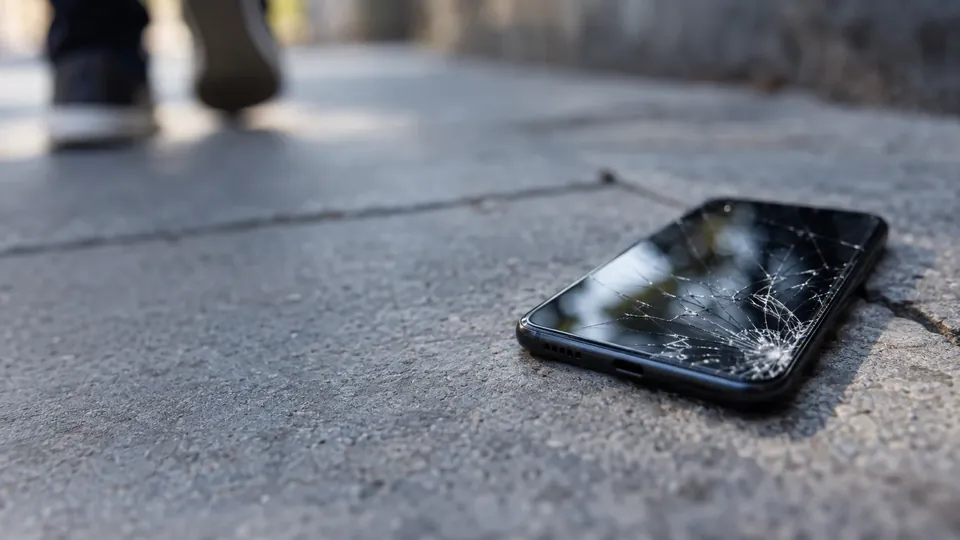
Dropped phones, cracked screens, and impact damage are among the most common causes of phone data loss. A hard drop can damage the logic board or storage, and a shattered screen can make a working phone unusable. The tip: use a quality case and screen protector, and — most importantly — keep a backup, so even a destroyed phone doesn't take your data with it. If a phone is damaged but the storage survived, the data is often still recoverable through board-level lab work.
Guide
Cause 2: Water and liquid damage
Phones go in pools, sinks, drinks, and rain constantly. Liquid causes corrosion inside, and the damage is ongoing — every minute counts. The tip: if your phone gets wet, power it off, don't charge it, and skip the rice (a myth that does nothing for internal corrosion). Get it to a lab quickly if the data matters. To prevent it, be mindful around water and consider a water-resistant model — but remember water resistance fades with age, so a backup is still your real protection.
Guide
Cause 3: Accidental deletion or factory reset
Human error is a leading cause: deleting the wrong photos or chats, or performing a factory reset that wipes everything. On modern phones, deleted data is hard to recover because of encryption and TRIM, and a factory reset is often unrecoverable because it destroys the encryption keys. The tip: think twice before deleting or resetting, and rely on backups — cloud photo backup and full device backup mean a mistaken deletion is a quick restore rather than a permanent loss.
Guide
Cause 4: Failed updates and software problems
A software update that stalls, a corrupted operating system, or a phone stuck on the boot logo can lock you out of your data. Usually the data is intact and the problem is software — but a panicked "restore" that erases the phone can turn a recoverable situation into a loss. The tip: keep your phone backed up before major updates, and if an update fails, avoid erase-and-restore before checking whether the data can be recovered. Don't force-restore a phone whose data isn't backed up.
Guide
Cause 5: Theft, loss, and no backup
A stolen or misplaced phone takes its data with it — and without a backup, it's simply gone. This is perhaps the most preventable cause of all. The tip: enable automatic cloud backup so your data lives beyond the device, use Find My iPhone / Find My Device to locate or remotely wipe a lost phone, and enable a passcode and encryption so a thief can't access your data. A backed-up phone that's stolen is an inconvenience, not a catastrophe.
Guide
The one habit that prevents nearly all of it
Notice the thread running through every cause: a backup turns each disaster into a minor inconvenience. Physical damage, water, deletion, failed updates, theft — none of them can wipe out your memories if your data also lives somewhere else. The single most valuable habit for any phone owner is:
- Turn on automatic cloud backup — iCloud Backup on iPhone, Google One / Google Photos on Android — set to run daily on Wi-Fi.
- Keep a second copy of photos in another cloud (e.g. Google Photos alongside iCloud) since photos are the most irreplaceable data.
- Make a periodic computer backup too, as an independent copy that survives an account problem.
- Confirm it's working occasionally — check your last backup date and that photos are genuinely in the cloud.
Ten minutes of setup, done once, protects years of memories. See our best iPhone backup software guide for the specifics.
If your phone is damaged and unbacked-up
If a phone is dead, water-damaged, or dropped and your data wasn't backed up, don't keep powering it on — each attempt risks the data. The storage often survives, and the data with it. See our iPhone & mobile data recovery service.
Guide
When to call a lab
Call a lab when a phone is dead, water-damaged, or physically broken and the data wasn't backed up. Labs carry out board-level work purely to reach the storage and read it, recovering photos, chats and files that are otherwise trapped. You receive your recovered files, not a repaired phone. Because the storage usually survives the failures that kill a phone, the data is typically still there — but only if you stop trying to power on a damaged device.
Phone dead or damaged with no backup?
CBL's cleanroom lab recovers data from dead, water-damaged and broken phones — free diagnosis, fixed quote before any work.
WhatsApp: +65 8127 7508
Call: +65 6588 0261
Guide
Frequently Asked Questions
Physical damage (drops and cracks) and water damage top the list, followed by accidental deletion or factory reset, failed updates, and theft or loss. Nearly all are preventable with a backup, which turns each into a minor inconvenience.
Turn on automatic cloud backup, keep a second copy of photos in another cloud, make periodic computer backups, use a case and passcode, and enable Find My to locate or wipe a lost phone. A backup is the single most important step.
Power it off, don't charge it, and skip the rice — it does nothing for internal corrosion. Get it to a lab quickly if the data matters; corrosion is time-sensitive, and early intervention greatly improves the odds.
Usually not on modern phones — a factory reset destroys the encryption keys, cryptographically erasing the data. This is why a backup before resetting is essential.
Often, yes, if the storage survived — through board-level lab recovery. Don't keep powering on a damaged phone. Contact us for a free diagnosis.
What our clients say
Trusted by individuals and businesses in Singapore


Business Profile
Data Recovery – Rated by customers on Google
915Google reviews
4.9 out of 5
Updated 5 Nov 2026
“Thank you to the team at CBL for helping me recover all the contents from my faulty USB, which contained many precious family photos.”
Iris ShenUSB flash drive recovery · via Google “Great relief the engineers managed to recover all my data successfully from my damaged iPhone 14.”
Peter AndroidiPhone 14 recovery · via Google “Amazing service from CBL. They have restored all the data from my laptop. Sarah was very helpful and attentive to my queries.”
S YTLaptop recovery · via Google